Categories
Overview
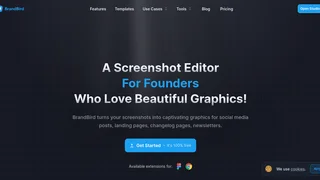
BrandBird is a browser-based screenshot editor built for SaaS founders, marketers, and creators who need polished social graphics without opening a full design suite. It turns plain product screenshots into branded visuals for X, LinkedIn, newsletters, changelogs, and landing pages using presets for backgrounds, 3D transforms, mockups, annotations, and platform-specific export sizes. The workflow is optimized for people who publish frequently and want consistent visuals in minutes rather than layered design files.
How BrandBird Studio Works
Users upload any image, often a raw screenshot, then customize it inside BrandBird Studio with one- or two-click presets. The editor supports gradients, patterns, solid colors, Unsplash backgrounds, device mockups, shadow presets, and 3D perspective transforms. Finished graphics export as PNG, JPEG, or WebP, with social size presets for X, Instagram, Facebook, LinkedIn, Dribbble, and Product Hunt. A command palette and keyboard shortcuts speed up common actions like import, export, and layer management.
Key Features
- Annotations and highlights: Add arrows, labels, emojis, numbered steps, and zoomed callouts for tutorials and product demos.
- Brand kits and watermarks: Store logos, fonts, palettes, and watermarks so every export stays on brand.
- Mockups and layouts: Wrap screenshots in iPhone, MacBook, iPad, and browser frames, or build before-after and grid layouts.
- Privacy controls: Blur or pixelate sensitive customer data, revenue figures, and credentials before sharing screenshots publicly.
- Import workflows: Pull in tweets, webpages, clipboard images, Figma frames, or Chrome-captured elements without rebuilding assets manually.
Integrations and Extensions
BrandBird extends beyond the web studio with a Chrome extension for capturing tabs and UI elements and a Figma plugin for sending frames into BrandBird for mockups and 3D styling. These integrations suit teams that design in Figma or capture product UI directly from the browser, then polish assets for social distribution in one place.
Use Cases
- Build in public updates: Turn product screenshots into recognizable launch graphics for social feeds.
- Marketing and changelog posts: Create feature announcements, comparison graphics, and release visuals quickly.
- Sales and support content: Annotate UI flows for help articles, onboarding emails, and demo posts.
- Agency and indie workflows: Replace heavier general-purpose design tools when the primary need is screenshot beautification.
Templates and Workflow Speed
BrandBird provides a template library spanning app store screenshots, LinkedIn banners, testimonial cards, website mockups, and social post formats. Templates give non-designers a starting point while still allowing preset customization. For teams publishing multiple graphics per week, saved templates and brand kits reduce repetitive setup across campaigns.
Plans and Pricing
Public pricing includes a Free plan at $0 with unlimited exports, access to free tools, and upload limits on the free tier. Pro costs $15 per month and unlocks premium tools, watermark removal, premium mockups, saved templates, brand kits, and AI tools. BrandBird also offers a limited-time lifetime deal at $179 as a one-time payment, advertised against a $348 list price, with permanent Pro access and future updates. Enterprise plans are available for bulk licensing and custom requirements through a contact form. Refunds are offered within 24 hours of purchase, and subscriptions can be canceled from the dashboard.
Limitations and Considerations
BrandBird is purpose-built for screenshot and social packaging rather than full vector design or print production. Free-tier exports may include watermarks until users upgrade. The editor is optimized for desktop browsers, so precise mobile editing may be less comfortable than laptop use. Teams needing deep layout systems like multi-page documents may still pair BrandBird with a general design tool for broader brand work. For most SaaS marketing teams, that tradeoff is acceptable because screenshot polish is the daily bottleneck BrandBird solves.
Tool Overview
Pricing
Similar AI Tools
X Design
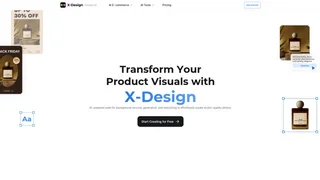
X Design (now Zawa AI) is an AI-powered brand kit generator and product photography tool that helps small businesses, Etsy sellers, and e-commerce merchants create professional logos, social media content, posters, and studio-quality product images without design experience.
Quso AI
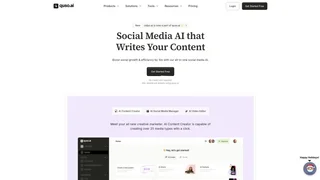
Quso AI is an all-in-one social media AI platform that helps content creators, coaches, and businesses repurpose long-form videos into short clips, add AI subtitles, and schedule posts across seven social platforms from a single dashboard.
PowerBrain AI Writing Tool Chat GPT
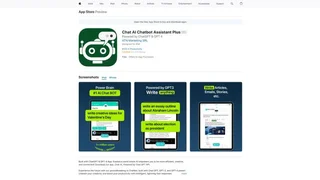
A mobile AI chatbot assistant that provides text generation, content creation, image generation, and productivity tools for iOS and Android users.
Bupple
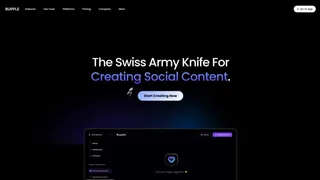
AI operating system for digital production that unifies video editing, AI media generation, social scheduling, and brand management in a single workspace for content teams, agencies, and creators.
Aeon
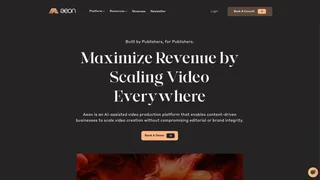
Aeon is an AI-powered creative studio that helps e-commerce brands research, strategize, and produce on-brand marketing content in one unified platform.