Categories
Overview
Cody is a business AI assistant from meetcody.ai that trains on company documents, websites, and process knowledge to answer questions like a specialized teammate. It serves support, sales, HR, and operations groups that need fast, source-backed responses instead of generic chatbot answers detached from internal files.
Key Features
- Custom knowledge ingestion supports PDFs, presentations, crawled websites, and direct text uploads to build each bot context.
- Source-cited answers show which documents informed a response so staff can verify policy-sensitive replies.
- Department-specific bots separate HR, support, sales, and internal wiki assistants with distinct instructions and sources.
- Prompt templates and focus mode reuse common tasks and restrict answers to selected document sets.
- Integrations and widgets embed Cody in websites, internal portals, Slack, and CRM-adjacent workflows.
- Access controls and analytics manage permissions per bot and review usage patterns from an admin dashboard.
How Cody Works
Teams upload approved company materials, configure tone and escalation rules, then publish a Cody bot to employees or customers. When a question arrives, Cody retrieves relevant passages from the connected knowledge base and drafts a response with references. Administrators expand sources over time and split bots by department so sensitive HR content does not mix with customer-facing product docs.
Security and Compliance Expectations
Cody markets SOC II compliance and AWS-backed encryption for business deployments. Buyers should still confirm data retention, model training, and regional hosting during procurement because assistant quality depends on keeping source libraries current and limiting each bot to approved files.
Access and Pricing
Cody is sold through meetcody.ai with free and paid subscription tiers that scale by monthly credits, knowledge-base capacity, API access, and support level. Public list prices were not reachable from the official pricing page during automated review, so teams should open meetcody.ai/pricing after signup to confirm current Starter, Pro, Business, and Enterprise limits before purchasing.
Pros and Cons
Pros:
- Strong emphasis on business-specific memory rather than open-web guessing.
- Source citations improve trust for support and onboarding scenarios.
- Multiple bots and permissions support departmental rollout from one account.
- Widget and Slack options reduce friction for everyday employee questions.
Cons:
- Official pricing was not publicly readable during review, which slows procurement comparisons.
- Answer quality drops quickly when document libraries are outdated or incomplete.
- Enterprise buyers may need extra review of connector coverage for their helpdesk stack.
- Customer-facing deployment still requires human oversight for high-risk policy answers.
Rollout Recommendations
Successful Cody deployments start with one high-volume inbox or onboarding FAQ set, then expand after measuring deflection and answer accuracy. Teams should assign an owner for each bot library, schedule quarterly audits, and remove deprecated policy PDFs that can mislead the model. Support leaders can track which questions resolve without human takeover and use those gaps to prioritize new uploads.
Integration Expectations
Before procurement, confirm which document sources, websites, and helpdesk systems connect to Cody in your plan tier. Clear ownership per knowledge source prevents duplicate bots from returning conflicting guidance to employees and customers. Widget embedding works well for public help centers, while Slack deployments suit internal employee questions that previously stalled in shared channels. API access on higher tiers can connect Cody to custom portals when widgets alone are not enough.
Who Should Use Cody
Cody fits SMB and mid-market teams with scattered internal docs that slow support and onboarding. It is a practical choice for agencies managing multiple client knowledge bases with separate bots. Organizations that already run a mature enterprise search and ticketing suite may use Cody as a conversational layer, but should validate overlap before rolling it out broadly.
Tool Overview
Pricing
Similar AI Tools
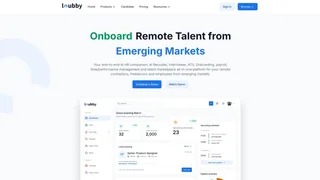
Loubby AI
Loubby AI is a workforce operating system that combines an AI-powered applicant tracking system, employee management tools, and an African talent marketplace to help global teams hire, manage, and pay remote workers.
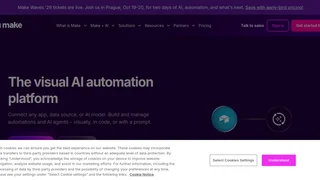
Make
A visual AI automation platform that connects any app, data source, or AI model to build and manage automations and AI agents visually, in code, or with a prompt.

DeepAI
DeepAI is an all-in-one AI platform offering tools for image generation, AI chat, video creation, music composition, voice chat, and developer APIs for creators, hobbyists, and professionals.

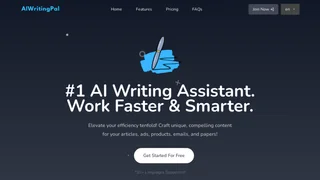
AIWritingPal
AIWritingPal is an AI writing assistant that helps writers, marketers, and professionals create blog posts, emails, product descriptions, and marketing copy faster using customizable templates and AI-powered writing tools.