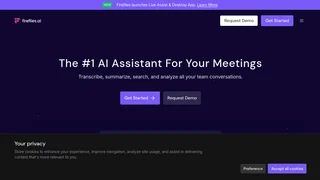
Fireflies.ai is an AI meeting assistant that records, transcribes, summarizes, and searches voice conversations for sales teams, customer success groups, recruiters, and operations leaders who need reliable notes from live calls.
How It Works
Fireflies joins meetings through a notetaker bot, Chrome extension, mobile app, desktop app, dialer integrations, or uploaded audio and video files. After a call ends, the platform generates searchable transcripts, AI summaries with action items, and optional video recordings depending on your plan. AskFred lets you query past meetings in natural language, while global search helps you find specific statements across your conversation history.
Key Capabilities
- Transcription in 100+ languages with speaker recognition and auto-language detection
- AI summaries with overview, bullet points, action items, and customizable note formats
- Meeting search down to specific sentences and timestamps across your workspace
- Conversation intelligence with speaker talk-time, sentiment analysis, topic trackers, and team analytics
- 200+ AI Skills tailored to sales, recruiting, marketing, engineering, healthcare, and other workflows
- Integrations with CRMs, project tools, ATS platforms, Slack, and API access for custom workflows
- Collaboration through comments, bookmarks, clips, channels, team workspaces, and shared meeting access
Use Cases
- Sales teams reviewing discovery calls, tracking objections, and syncing notes to Salesforce or HubSpot
- Customer success managers capturing onboarding calls and follow-up commitments automatically
- Recruiters screening interviews and sharing highlights with hiring managers
- Product and research teams turning user interviews into searchable insight libraries
- Executives staying aligned with summarized leadership meetings and delegated action items
Capture Options
Fireflies supports Google Meet, Zoom, Microsoft Teams, Webex, and additional video conferencing platforms. You can invite the notetaker bot to live sessions, record Google Meet through the Chrome extension, transcribe in-person conversations with mobile or desktop apps, or process dialer calls from providers like Aircall and RingCentral. Uploaded MP3, MP4, WAV, and M4A files are also supported.
Security and Compliance
Fireflies advertises SOC 2 Type II, GDPR, and HIPAA compliance for enterprise customers. Business and Enterprise plans add controls such as SSO, SCIM, audit logs, private storage, custom data retention, and transcript-only modes for regulated environments.
Plans and Pricing
Fireflies offers a Free plan with unlimited transcription and AI summaries plus 400 minutes of storage per team. Pro starts at $10 per seat per month billed annually with 8,000 minutes of storage per seat, video recording, downloads, personal assistant features, and 20 AI credits. Business is $19 per seat per month billed annually with unlimited storage, conversation intelligence, team analytics, and 30 AI credits. Enterprise is $39 per seat per month billed annually with rules engine, SSO, HIPAA, private storage, and 50 AI credits.
Live Assist and Voice Agents
Fireflies Live Assist provides real-time suggestions, coaching, and answers during active meetings so participants can respond with more context on the spot. Voice Agents extend automation beyond note-taking into outbound and inbound call workflows for teams that want AI-assisted follow-through after conversations are captured.
Tasks, Contacts, and Feed
Beyond transcripts, Fireflies organizes follow-up work through tasks, contact records, and a feed that surfaces recent meeting activity across your workspace. This helps managers review what was promised, who was involved, and which conversations need attention without opening every individual recording.
MCP and Developer Access
Fireflies MCP Server connects meeting intelligence to external AI tools such as Claude, Devin, and ChatGPT, allowing teams to pull conversation context into custom workflows. API and GraphQL access support audit logs, automation, and integrations built by internal engineering teams that want meeting data inside proprietary systems.
Getting Started
New users can connect a calendar, invite the notetaker to upcoming calls, and review the first AI summary within minutes of a meeting ending. The free tier is enough to evaluate transcription quality and search behavior before upgrading for video capture, unlimited storage, or team analytics. Most teams begin with one department such as sales or customer success, then expand seat licenses once managers see faster follow-up and fewer repeated status meetings.
Limitations
Free-tier transcription and summaries have usage limits compared with paid tiers. Recording length caps vary by plan, and some advanced intelligence, compliance, and admin features require Business or Enterprise subscriptions. AI credits apply to certain advanced AI workflows beyond standard summaries.