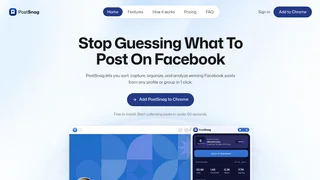
PostSnag is a Chrome extension and companion dashboard for marketers, creators, and agencies who research Facebook content. Instead of scrolling endlessly and screenshotting winners by hand, you install the extension, browse profiles, pages, or groups you can access, and PostSnag captures posts as they appear so you can sort, rank, and export what actually earns likes, comments, shares, and video plays.
How PostSnag works
The product is built around a simple capture loop. Add the free Chrome extension from the Chrome Web Store, stay logged into your normal Facebook session, and scroll the source you want to study. PostSnag reads what is already rendered on screen and auto-captures posts into a live sidebar. When you find a creator, competitor, brand page, or group worth watching, you can push that source to the dashboard and keep analyzing from one workspace instead of bouncing between Facebook tabs.
Because capture happens in your browser session, PostSnag does not rely on unofficial Facebook APIs, proxy farms, or separate aged accounts. The site positions the extension as a structured note-taker that organizes the same post metrics you would see manually: post type, caption text, likes, comments, shares, video plays, and the exact date and time posted.
Key capabilities
- Auto-capture on scroll: As you move through a profile, page, or group feed, posts are collected without saving each one individually, which speeds up competitive audits and swipe-file building.
- Dashboard for saved sources: Send profiles and post sets into a central dashboard where you can bookmark items, organize by folders or groups, and return later without reconstructing your research trail.
- Performance ranking: Order captured posts by likes, comments, shares, or video plays so high-engagement formats surface quickly instead of staying buried in chronological feeds.
- Built-in analytics views: Review post-type mix and engagement composition for a tracked source, including breakdowns that help you see whether photos, videos, reels, text, links, or albums drive results.
- Discovery feed of outliers: Across the profiles you track, PostSnag highlights viral outliers and top-performing posts so you can spot what Facebook appears to reward right now rather than relying on gut feel.
- AI-ready exports: Download profile or group post data as JSON, Markdown, or Excel formatted for Claude, ChatGPT, Gemini, or other AI tools, so strategy briefs can start from structured evidence instead of messy copy-paste.
- Quick save and revisit: Bookmark individual posts or whole profiles from the dashboard when you need a shortlist for brainstorms, client decks, or weekly content planning.
What gets captured
For each post, PostSnag can collect the practical fields content teams actually use: post type (text, photo, video, reel, link, album), full caption, engagement counts, video plays when shown, and precise publish timing. At the profile level, useful aggregates include follower and following counts, total posts collected, posts by day of week, content-type breakdowns, average engagement, and lists of top or outlier posts. That combination supports both creative research (hooks, formats, offers) and operational research (posting cadence and engagement patterns).
Who it is for
PostSnag fits social media managers who run competitive audits, growth marketers studying category leaders, independent creators reverse-engineering formats that already work, and agencies onboarding new clients who need a fast baseline of what competitors post. It is especially useful when Facebook is a primary channel and teams currently waste hours collecting screenshots or exporting incomplete follower-only metrics from broader social suites.
Use cases
- Competitor content audits: Capture a rival page timeline, rank by engagement, and identify formats or offers your team is not running.
- Creator and niche research: Study high-volume creators or niche groups to map hooks, story angles, and post styles that attract comments and shares.
- Swipe files for ads and organic posts: Save proven posts and export structured data into AI tools to draft briefs, variations, or calendars grounded in real performance.
- Agency onboarding: Replace multi-day manual collection with a dashboard of ranked posts, type mix, and outliers before the first strategy workshop.
Pricing and plans
PostSnag is free to install and does not require a card to start. Paid tiers unlock unlimited tracking, full analytics, discovery, organization features, and exports.
| Plan | Price | Key Features |
|---|
| Free | $0 | Chrome extension, live sidebar capture, 3 profile scans per week with 30 posts each, dashboard preview |
| Pro | $19/month | Unlimited profile and Facebook Group tracking, full dashboard analytics, sort and rank, Discovery feed, folders and bookmarks, AI exports, saved scans, cancel anytime |
| Lifetime | $139 once | Same unlimited tracking and dashboard features as Pro, one-time launch pricing, future features included, priority email support |
Pro and Lifetime include a 14-day money-back guarantee. Free has no card and no expiration, so teams can validate capture quality on real profiles before upgrading.
Limitations and practical notes
PostSnag focuses on Facebook rather than multi-network social listening. Capture depends on content you can already view while logged in, so private sources outside your access remain unavailable. Product marketing highlights profiles, pages, and groups; some FAQ language still describes groups as roadmap for certain workflows, so treat group coverage as evolving and verify against your accounts before promising it in a client SOP. As with any browser-based research tool, results reflect the posts Facebook renders for your session and may change if the platform UI or visibility rules change.
Getting started
Most users can start in about a minute: install from the Chrome Web Store, open a Facebook profile or page, scroll to capture posts, then push promising sources into the dashboard. From there, rank by engagement, bookmark keepers, review the Discovery feed for outliers, and export JSON, Markdown, or Excel when you want AI assistance on patterns, calendars, or creative briefs. That path turns Facebook research from ad hoc scrolling into a repeatable capture-and-analyze workflow without proxies or complex scraping setups.
 PostSnag Review: Facebook Research Without Enterprise ToolsReviews