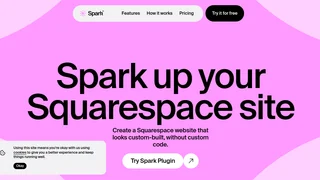
Spark Plugin is a powerful no-code design toolkit built specifically for Squarespace websites. It gives you complete creative control over your site's appearance without needing to write a single line of custom code. With over 100 customizable features, Spark Plugin transforms the way you design and manage your Squarespace site, making professional-grade customization accessible to everyone. Whether you are a seasoned designer or a complete beginner, this tool empowers you to create a website that looks custom-built, unique, and fully aligned with your brand identity.
The core philosophy behind Spark Plugin is simplicity and reliability. Unlike traditional custom CSS or third-party plugins that can break with every Squarespace update, Spark Plugin keeps all your customizations hosted directly on your site. It adapts seamlessly to every Squarespace update, ensuring your designs remain intact and functional. This reliability is a major advantage for site owners who want to invest time in customization without worrying about future compatibility issues. The tool is fully tested across all major browsers and mobile devices, guaranteeing that your site looks and works perfectly for every visitor, regardless of how they access it.
One of the standout features of Spark Plugin is the Mega Menu. This allows you to create large, multi-column navigation menus that help visitors find what they need faster. Instead of being limited to simple dropdowns, you can design comprehensive navigation structures that showcase your content hierarchy clearly. This feature alone can significantly improve the user experience on content-rich sites, making navigation intuitive and efficient.
The Word Loop Effect is another creative feature that adds dynamism to your headlines. You can set words to cycle through a sequence, making your headlines more engaging and eye-catching. This effect is perfect for landing pages, hero sections, and marketing pages where first impressions matter most. It adds a modern, animated touch that captures attention without overwhelming the visitor.
With the Block Styler, you gain granular control over any block on your Squarespace site. You can customize shadows, borders, colors, margins, rotation, opacity, and much more. This feature effectively turns every block into a fully customizable design element, giving you the freedom to fine-tune every aspect of your layout. You no longer have to accept default styling or rely on hacky workarounds to achieve the look you want.
Hover Animations bring your website to life by adding interactive effects when visitors hover over elements. You can choose from a variety of animation styles that make buttons, images, and other elements respond dynamically to user interaction. These subtle yet effective animations create a more engaging browsing experience and can help guide users toward important actions on your site. The Back to Top Button feature is a simple but highly practical addition that lets visitors jump back to the top of any page with a single click. This improves navigation on long pages and enhances overall user experience.
Spark Plugin releases new features every month, so your Squarespace site keeps improving without extra effort on your part. This regular update cycle means you always have access to fresh customization options and the latest design trends. The team behind Spark Plugin is committed to continuous improvement, ensuring that the tool evolves alongside the Squarespace platform.
Getting started with Spark Plugin is quick and straightforward. The installation process takes just one or two minutes. Once you sign up for the free trial, you receive an installation code along with clear instructions on where to add it. The 14-day free trial gives you full access to all features without requiring a credit card, allowing you to explore everything the tool has to offer before committing to a subscription. If you want to retain your designs beyond the trial period, you can choose from flexible subscription plans.
Spark Plugin is designed to work seamlessly with most Squarespace templates, specifically those on Squarespace version 7.1. Older templates on Squarespace 7.0 and sites on the Personal plan are not supported, but upgrading to a supported plan is straightforward. The tool is completely no-code, meaning you can browse through over 100 customizations in no time and see changes instantly as you add them. This saves significant time and makes the creative process much more enjoyable compared to traditional methods like custom CSS or JavaScript injection.
For site owners who want professional results without hiring a developer or learning to code, Spark Plugin is an invaluable tool. It bridges the gap between Squarespace's built-in customization options and the need for more advanced design control. Whether you want to create a stunning portfolio, a polished business site, or an engaging ecommerce store, Spark Plugin gives you the tools to make your vision a reality. The combination of reliability, ease of use, and a vast library of features makes it one of the most comprehensive design enhancement tools available for the Squarespace ecosystem.