Categories
Overview
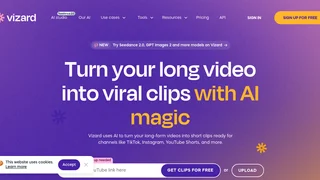
Vizard is an AI video editing and clipping platform that turns long-form footage into short, social-ready clips for TikTok, Instagram Reels, YouTube Shorts, and other channels. It is built for creators, podcasters, coaches, marketers, agencies, and businesses that need to repurpose webinars, interviews, courses, and podcasts without hiring a dedicated editor or learning complex timeline software.
How It Works
The workflow starts when you upload raw video or paste a link. Vizard transcribes the footage, detects speakers, and processes the file with its proprietary AI. You then click Get AI Clips and the system generates multiple highlight clips formatted for the platforms you choose. From there you can download files, share preview links with clients or teammates, or publish directly to connected social accounts. The platform also offers a browser-based editor when you want manual control over cuts, captions, or layout.
AI Clipping and Reframing
Vizard's core strength is automated highlight detection. The AI scans long recordings for engaging moments, suggests clip boundaries, and can produce dozens of clips from a single upload. Auto-reframe keeps speakers centered when converting horizontal footage into vertical 9:16 layouts, which removes much of the manual cropping work required for short-form distribution. Additional AI layers include auto captions with emoji support, keyword highlighting, AI-generated B-roll suggestions, and social caption plus hashtag recommendations tailored to each clip.
Editor and Text-Based Editing
Beyond one-click clipping, Vizard includes a full editor for fine-tuning. Edit by text lets you trim video by deleting or adjusting transcript lines, similar to editing a document. A timeline view supports second-level precision when you need tighter control. You can change aspect ratios with one click, apply brand templates, add custom outros, and translate captions into more than 100 languages to reach international audiences. Link sharing supports collaboration so teams can review exports or entire projects without passing large files back and forth.
Team Workspace and Publishing
Vizard offers a Team Workspace for agencies and in-house marketing groups. Leaders can invite members, manage shared projects, and let clients preview work through links before final export. Direct publishing connects to major social platforms, with scheduled posting on paid tiers. Business plans support more connected social accounts, shared workspaces, brand kits, custom fonts, and priority support compared with individual creator plans.
Use Cases
- Podcast and interview repurposing: Turn hour-long conversations into a library of quote clips and teaser posts.
- Webinar and course marketing: Extract lesson highlights and promotional snippets from recorded training sessions.
- Personal branding for coaches: Clip client calls, live sessions, and speaking appearances into consistent social content.
- Agency client deliverables: Produce multiple short-form variants from a single brand video while sharing previews through links.
- News and commentary channels: Rapidly segment long broadcasts into platform-native clips with captions and reframing.
Plans and Credits
Vizard uses a credit model where one credit equals one minute of uploaded video. The Free plan includes 60 monthly credits, supports uploads up to 60 minutes and 1 GB per file, exports at up to 720p with a 10-minute export cap, and stores projects for three days. Paid Creator and Business tiers start from 600 monthly credits, allow uploads up to 600 minutes and 10 GB, remove watermarks, export in 4K at any length, and retain storage for the subscription period. Business adds faster AI processing, expanded social account connections, shared workspaces, brand kits, and API access with higher rate limits. Monthly and yearly billing options are available, with yearly plans offering discounted effective rates.
API and Integrations
Creator and Business subscribers can access Vizard's API to automate clipping workflows inside custom pipelines. Rate limits scale by plan, from one request per minute on Free up to ten per minute on Business. Supported publishing destinations include TikTok, YouTube, Instagram, Facebook, LinkedIn, and Twitter, with Google Drive export on paid plans.
Who Vizard Fits Best
Vizard suits teams that already produce long video content and need volume short-form output without proportional editing headcount. It is less ideal when your workflow centers on scripted avatar videos, motion graphics from scratch, or broadcast-grade color grading, because its value is clip discovery, reframing, and captioning rather than cinematic post-production. Users who want full creative control should expect to spend time in the editor after AI clipping, though many workflows need only light touch-ups before publishing.
Tool Overview
Pricing
Similar AI Tools
Ssemble
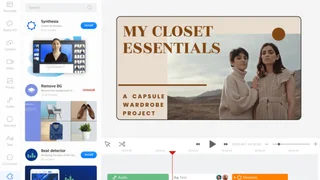
Ssemble is an AI clipping platform that turns YouTube long-form videos into captioned Shorts, TikToks, and Reels with scheduling, channel automation, and yearly plans from $6 per month.
Zebracat
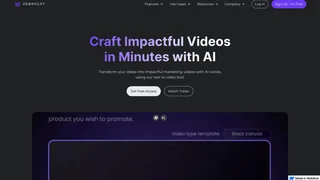
Zebracat is an AI video agent that turns prompts, scripts, URLs, and websites into short-form social videos with scheduling, avatars, and performance learning.
PrismClips
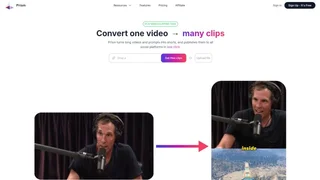
PrismClips analyzes long-form videos, identifies the most engaging moments, and converts them into short-form clips optimized for TikTok, Instagram Reels, YouTube Shorts, and X.
Klap
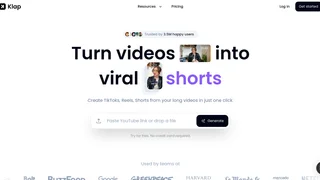
Klap uses AI to turn long YouTube videos and uploads into viral short clips with auto reframing, captions, customization, and direct publishing to TikTok, Shorts, Reels, and LinkedIn.
Vsub
Vsub helps faceless creators generate short videos with AI scripts, visual styles, auto captions, and niche templates for vertical platforms.