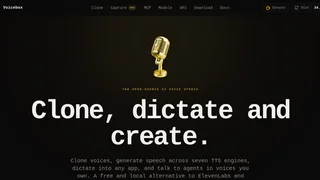
Voicebox is a local-first, open-source AI voice studio designed for desktop environments on macOS, Windows, and Linux. Built as a privacy-respecting and cost-effective alternative to cloud-based speech platforms, it enables developers, content creators, and privacy advocates to clone voices, generate text-to-speech audio, transcribe files, and interact with AI agents using personalized voices entirely on local hardware. By running models locally, Voicebox eliminates the recurring subscription fees, per-character API costs, and data-sharing concerns associated with cloud voice synthesis platforms.
Key Features
- Zero-Shot Voice Cloning: Synthesizes highly realistic voice replicas using a reference audio sample of as little as three seconds, allowing rapid setup of custom voices without extensive training.
- Multi-Engine Speech Generation: Integrates seven distinct open-source text-to-speech engines, including Kokoro and Qwen3-TTS, giving users control over speech speed, pronunciation nuances, and emotional tones.
- System-Wide Dictation: Features a global hotkey shortcut that enables immediate, system-wide speech-to-text dictation directly into any text input area or active application on the desktop.
- Multi-Track Audio Editor: Includes a timeline-based editor that supports layering multiple voice tracks, arranging conversations, trimming audio clips, and exporting multi-voice narration.
- Local Inference and Acceleration: Leverages hardware acceleration on local machines, including Metal for macOS and CUDA for Windows and Linux, to generate low-latency speech without cloud APIs.
- Whisper-Powered Transcription: Utilizes OpenAI’s Whisper models to deliver accurate offline voice-to-text transcription for imported audio files and voice recordings.
- Local REST API: Exposes a developer-friendly local server running on port 17493, enabling scripts, custom applications, and third-party software to query voice synthesis endpoints.
Voice Library and Cloning
The platform centers around a unified voice manager that handles both imported voice samples and generated clones. Users can clone voices using multi-sample inputs, which aggregates multiple audio files of a target voice to refine pronunciation and tone stability. Voicebox caches synthesized audio chunks intelligently, preventing redundant processing and speeding up subsequent playback of the same text. The system also supports adjusting the pacing, pitch, and tone of individual voice engines, allowing users to fine-tune speech outputs for specific character profiles or voice styles.
Desktop App and Local Inference
As a desktop application, Voicebox is designed for maximum offline capability. Installation packages are available for macOS, Windows, and Linux. The application manages the downloading of AI weights for the various TTS and speech-to-text models, storing them locally in the user's application directory. Once downloaded, all synthesis and transcription tasks occur without internet connectivity. Performance is optimized through native bindings that access GPU capabilities, enabling real-time generation on compatible hardware. Users can also configure remote inference servers if they prefer to offload compute-heavy processing to a local server or external GPU cluster.
MCP and Developer Integrations
A standout feature of Voicebox is its built-in Model Context Protocol (MCP) server. This server allows AI coding agents and desktop LLM clients to communicate with the user using their cloned voices. Developers can configure coding assistants to speak code reviews, read aloud terminal outputs, or provide interactive audio guidance. Additionally, the local REST API allows developers to incorporate voice outputs into their automation scripts. Standard HTTP endpoints allow third-party programs to trigger speech generation, query available voices, and modify synthesis parameters programmatically.
Pricing and Licensing
Voicebox is completely free to download and use under an open-source license. The source code is publicly accessible on GitHub, allowing developers to inspect, modify, and self-host the application. Because all AI models run locally on the user's CPU or GPU, there are no character generation limits, API access fees, or usage-based pricing plans. Users do not need to register an account or provide payment information. Optional support for the creator is facilitated through community donation platforms, while the core software and all standard features remain free of charge.
Pros and Cons
Pros:
- Completely free and open-source with no recurring subscription or per-character generation fees.
- Privacy-first local execution keeps sensitive voice data and transcribed text secure on the host machine.
- Integrates multiple text-to-speech engines under a single, cohesive desktop interface.
- Exposes both an MCP server and a local REST API for developer workflows and automated voice integration.
Cons:
- Requires relatively modern desktop hardware with GPU acceleration for low-latency generation.
- Local storage footprint is high due to downloading and caching multiple heavy AI model weights.
- Lacks cloud-based synchronization, meaning voice libraries and settings must be moved manually between devices.
Who Should Use Voicebox
Voicebox is ideal for software developers, privacy-conscious content creators, and automation enthusiasts who need a reliable, offline-first voice synthesis tool. It is particularly well-suited for developers who want to integrate voice feedback into their IDEs, terminals, or local scripting workflows. However, users running older desktop computers or low-spec laptops may experience slow generation times, making it less suitable for those without dedicated graphics hardware or modern processors.