Categories
Overview
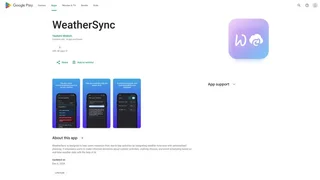
WeatherSync is a weather forecasting Android application that provides accurate local weather conditions, live radar maps, and severe weather alerts. Developed by blobstudio, the app is designed for people who need clear, actionable weather information to plan their daily activities without unnecessary complexity. It combines multiple weather data sources into an easy-to-navigate interface suitable for both quick glances and detailed weather analysis.
Key Features
- Current weather conditions: The app displays feels-like temperature, wind speed and direction, humidity levels, atmospheric pressure, and UV index for any selected location. This information is presented on a clean main screen that prioritizes the most relevant data at a glance.
- Hourly and daily forecasts: WeatherSync provides detailed hourly forecasts for the upcoming day and extended daily forecasts covering multiple days ahead. The layout is designed for quick scanning so users can understand changing conditions without digging through menus.
- Live radar map: An interactive weather radar map shows rain, storms, and weather patterns in real time. Users can pan and zoom to examine conditions in their immediate area or broader regions.
- Rain forecast view: A dedicated rain forecast feature shows the timing and intensity of expected precipitation. This helps users decide when to schedule outdoor activities or prepare for wet conditions.
- Air quality and pollen insights: The app includes air quality index readings and pollen level information for health-aware planning. Users sensitive to air quality or seasonal allergies can use this data to make informed decisions about time outdoors.
- Severe weather alerts: WeatherSync delivers severe weather alerts with customizable notification controls. Users can choose which types of alerts they receive and how they are notified.
- Multi-location support: Users can save and monitor weather conditions for multiple locations simultaneously. This is useful for travelers, people with family in different areas, or anyone who wants to stay informed about weather beyond their immediate location.
- Home screen widgets: At-a-glance widgets display current weather information directly on the Android home screen, eliminating the need to open the app for a quick check.
- Language and unit preferences: The app supports multiple languages and allows users to switch between metric and imperial units for temperature, wind speed, and other measurements.
Use Cases
- Morning commute planning: Users check current conditions and the hourly forecast before leaving home to decide whether to bring an umbrella, dress warmly, or adjust their route around weather impacts.
- Outdoor activity scheduling: Runners, cyclists, hikers, and other outdoor enthusiasts use the hourly and rain forecasts to find the best window for exercise or recreation.
- Travel preparation: When traveling to another city or country, users add the destination as a saved location and monitor the forecast ahead of their trip.
- Health management: People with respiratory conditions or allergies check air quality and pollen data to plan when to limit time outdoors.
- Severe weather readiness: When storms or extreme conditions are expected, users rely on WeatherSync alerts to stay informed and take appropriate precautions.
Privacy and Security
WeatherSync requires location permission to deliver accurate local forecasts, radar context, and weather alerts. Notification permission is used only for user-enabled weather alerts and updates. The app does not sell personal data. Location data and device information are collected solely for app functionality, with analytics and crash reports used to improve stability and performance. The privacy policy states that data is retained only as long as necessary to provide the app and comply with legal obligations. Users retain control over their data: they can disable location permissions in device settings at any time, disable push notifications in app or device settings, or uninstall the app to stop further data collection. The app is not directed at children under 13 and does not knowingly collect personal information from them.
Tool Overview
Pricing
Similar AI Tools

Poppy AI
Multiplayer AI workspace for analyzing videos, podcasts, PDFs, and voice notes to create viral content and brainstorm ideas collaboratively.

Stability AI Developer Platform
Stability AI is a developer platform for building image, video, audio, and 3D applications with APIs, sandbox tools, and credit-based pricing.
ChatGPT Code Interpreter
OpenAI sandboxed Python environment within ChatGPT that executes code, analyzes data, creates visualizations, and processes files through natural language conversations.

TeamPal
No-code AI workforce platform for building, customizing, and deploying AI agents across marketing, sales, HR, operations, finance, R&D, design, and IT departments.

Automix
AI-powered career development platform offering resume review, mock interviews, recruiter tools, and AI chat to automate and enhance the job search workflow.