Terminal-First AI: How Meta Muse Code & Agentic Workflows Are Replacing IDE Extensions
The Evolution of Developer Tooling: Beyond Tab Autocomplete
Over the past three years, artificial intelligence in software development transitioned from experimental novelties to daily infrastructure. The first wave of developer AI tools focused on inline code completion inside IDE text editors - suggesting single lines of code as developers typed. While inline completion increased typing speed, it left complex software engineering challenges untouched. Refactoring multi-file codebases, updating dependency schemas, writing unit test suites, and debugging build failures still required manual developer intervention.
In August 2026, software engineering enters a new era defined by terminal-native AI agents. Led by recent releases such as Meta Muse Code and Alibaba Qwen3.8-Max, developer tooling is migrating out of passive IDE editor panels directly into the command-line interface. Industry benchmarks report that enterprise task completion rates for structured multi-step coding agents climbed from 12 percent to 66 percent year-over-year. Here is an analysis of why terminal-first AI agents are replacing traditional IDE extensions and how engineering teams can integrate agentic workflows safely.
Why the Command Line is the Natural Home for AI Agents
The transition from graphical IDE extensions to terminal-native agents represents an architectural alignment between artificial intelligence capabilities and developer operating systems.
1. Unrestricted Access to Project Tools and Shell Commands
Graphical IDE extensions operate within constrained text editor sandboxes. In contrast, terminal-native AI agents execute shell commands directly inside your project repository. An agent can run test runners (such as Jest or PyTest), inspect build logs, execute linter passes, manage git branches, and invoke local container environments (Docker or Kubernetes) autonomously.
2. Multi-File Refactoring and Repository Comprehension
Terminal agents do not evaluate code snippets in isolation. By parsing project configuration files, dependency manifests, and directory trees, agents construct full repository context. When tasked with modifying a core database schema or updating an API signature, a terminal agent identifies and updates all affected file invocations across the entire codebase simultaneously.
3. Closed Feedback Loops via Automated Execution
The defining capability of an agentic workflow is the closed feedback loop. When a terminal agent edits a file, it immediately runs the project build and unit test suite. If a test fails, the agent reads the exact stack trace, diagnoses the root cause, applies a code patch, and re-runs the verification command until all tests pass cleanly without requiring developer prompting.
Key Recent Releases: Meta Muse Code and Qwen3.8-Max
Meta Muse Code: Terminal-Native Engineering Agent
Meta released Muse Code as a specialized terminal agent designed to handle autonomous code generation, bug fixing, and repository migration. Integrated directly into Unix shell sessions, Muse Code allows engineers to issue natural language goals directly from the command line. The model executes shell commands, inspects diffs, and manages local git commits within controlled sandbox boundaries.
Alibaba Qwen3.8-Max: High-Context Enterprise Coding
Alibaba expanded its frontier AI model lineup with the general availability of Qwen3.8-Max. Optimized for complex software engineering and multi-language codebase maintenance, Qwen3.8-Max excels at processing large repository contexts and generating verified patches for high-concurrency backend architectures.
Best Practices for Safe Agentic Workflow Deployment
While terminal AI agents dramatically accelerate development velocity, granting execution permissions to command-line agents requires clear security guardrails:
- Enforce Workspace-Write Sandboxing: Restrict agent execution to the specific project directory to prevent accidental modification of system configuration files or external host directories.
- Mandate Human Approval for Destructive Commands: Require explicit developer approval before agents execute destructive shell operations (such as git push, database drops, or package publishing).
- Establish Verification Gates: Never accept model-generated patches without running automated unit test suites and linter verification passes.
Tools for Data Extraction and Automation
Building automated data ingestion pipelines for agentic workflows requires template-free extraction tools:
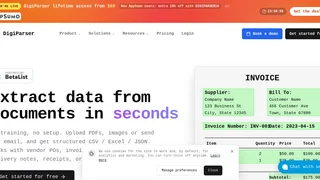
- DigiParser: An AI OCR and document parsing engine that converts unstructured documents, receipts, and invoices into clean JSON data via automated webhooks and API endpoints.
Frequently Asked Questions
What is the difference between an inline AI autocomplete tool and a terminal AI agent?
Inline autocomplete tools suggest text inside an active editor line. Terminal AI agents run autonomously inside your shell terminal, executing multi-file edits, running test suites, parsing terminal errors, and managing git workflows.
Can terminal AI agents run dangerous shell commands automatically?
Modern terminal agents operate within configurable sandbox policies. Developers can restrict file permissions and require explicit confirmation for external network calls or destructive git commands.
Final Takeaway
The shift to terminal-first AI agents marks a permanent upgrade in developer productivity. By combining natural language reasoning with direct command-line execution and automated test loops, engineering teams can automate routine maintenance and focus on core architectural innovation.