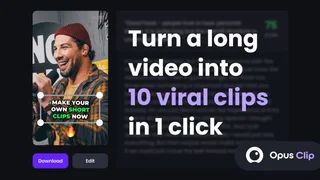
Opus Clip is an AI-powered video repurposing platform designed for content creators, podcasters, and marketers who want to turn long-form videos into short, engaging clips for social media. Used by more than 16 million creators and businesses, it supports YouTube links, direct uploads, and Zoom integrations, processing videos through multimodal AI models that analyze transcripts, visual cues, and sentiment to identify the most shareable moments.
ClipAnything and Virality Score
ClipAnything is Opus Clip's core clipping engine and works across video genres including podcasts, vlogs, gaming, sports, interviews, and explainer content. Unlike tools limited to spoken-word podcasts, it analyzes transcript hooks, emotional peaks, and topic shifts to extract self-contained clips ranging from 15 seconds to several minutes. Each generated clip receives a Virality Score from 0 to 100 based on hook strength, emotional flow, and content completeness, giving creators a data-driven way to prioritize which clips to publish first.
ReframeAnything and Captions
ReframeAnything resizes landscape footage for vertical platforms with AI object tracking that keeps active speakers and moving subjects centered. It supports 9:16, 1:1, and 16:9 aspect ratios plus dynamic layouts for screenshare and gameplay footage. Animated captions arrive with multi-language transcription in more than 20 languages, customizable templates, keyword highlighting, auto emoji, speaker-based color coding, and optional curse-word censoring on paid tiers.
AI Editing and Publishing
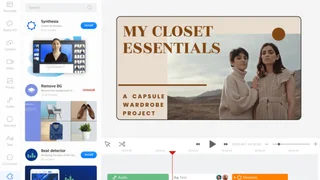
Pro and Business plans unlock text and timeline-based editing, AI B-roll insertion, filler word and pause removal, transition effects, AI voice-over, speech enhancement, and 4K export options. Multi-platform publishing lets teams schedule and post directly to TikTok, YouTube Shorts, and Instagram Reels, with auto-generated titles, descriptions, and hashtags. Export paths also include Adobe Premiere Pro and DaVinci Resolve for teams that finish clips in professional NLEs.
Teams, API, and Workflow Automation
Business customers get team workspaces, brand templates with custom fonts and intro or outro cards, folder management, and member permissions for agency-style delivery. Opus Clip also offers a Video Editing API and Zapier-friendly workflow integrations so engineering teams can trigger clipping jobs from CMS pipelines. The newer Agent Opus experience extends automation for business users who want hands-off clip generation at scale.
Use Cases
- Podcasters: Extract highlight clips from hour-long episodes for social distribution.
- YouTubers: Repurpose long-form content into Shorts and Reels to maximize reach.
- Marketing teams: Turn webinars and product demos into social-ready clips.
- Agencies: Manage multiple client accounts with team workspaces and brand templates.
- Media brands: Scale short-form output from editorial video libraries without linear editor bottlenecks.
Plans and Pricing
Opus Clip uses a credit-based system where one credit equals one minute of source video. The Free plan provides 60 credits per month with watermarked exports and limited features. Starter costs $15 per month with 150 credits and watermark-free exports. Pro costs $29 per month, or about $14.50 per month billed annually, with 300 credits, full editing tools, AI B-roll, multi-aspect-ratio support, virality scoring, and direct publishing. Business plans are custom-priced with API access, team seats, and priority processing. New users receive a 7-day Pro trial with 90 minutes of processing time.
Limitations
The platform is web-only with no native mobile editor. AI clip selection occasionally misses context or selects awkward cut points, particularly in multi-speaker recordings with crosstalk. Credit expiration policies apply: 60 days on monthly plans and 13 months on annual plans. The free tier serves primarily as a trial since exports carry watermarks and expire after three days.
Who Opus Clip Fits Best
Opus Clip is built for creators and brands publishing high volumes of short vertical video from existing long-form libraries. It is not a full documentary or VFX suite, but for teams that need daily shorts from podcasts, streams, or webinars, it removes the repetitive clipping, captioning, and reframing work that otherwise blocks consistent social growth.