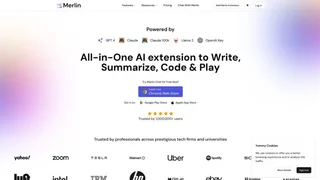
Merlin AI is an all-in-one AI assistant available as a Chrome extension, web app, and mobile app that gives users access to over a dozen leading large language models through a single subscription. Instead of paying separately for ChatGPT, Claude, Gemini, and other AI services, Merlin consolidates them under one interface with additional tools for summarization, research, content creation, diagram generation, and image editing.
Key Features
- Access to 15+ top-tier models including GPT 5.2, Claude Opus 4.6, Gemini 3.0 Pro, Grok 4.1, DeepSeek R1, Mistral Large, and Llama 3.1 405B through one subscription
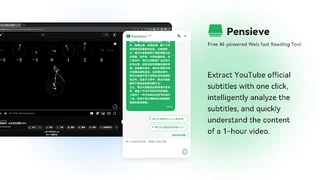
- Chrome extension with Ctrl/Cmd+M quick-access overlay for summarizing web pages, YouTube videos, and documents without leaving the current tab
- Merlin Magic auto-routing that selects the best model for each use case, removing the need to choose between models manually
- Projects feature for building reusable knowledge bases from files, Google Drive, links, and YouTube videos with agentic retrieval for tailored responses
- Crafts for generating flowcharts, mindmaps, infographics, React app snippets, and interactive diagrams from text prompts
- Deep Research Mode with chain-of-thought reasoning and live web browsing for multi-step research tasks
- Built-in AI detection, humanizer, essay writer, and 70+ AI tools for content and academic workflows
- Cross-device sync across Chrome, iOS, Android, and the web app with shared history, custom prompts, and chatbots
How Merlin Works
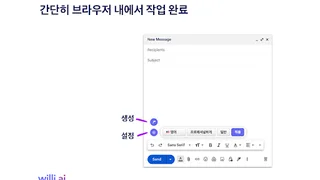
Merlin operates as a browser-side assistant and standalone web platform. The Chrome extension injects Merlin buttons into Gmail, LinkedIn, X, YouTube, and Google Search for one-click actions. On any other website, Ctrl/Cmd+M opens a floating chat panel. The web app provides a full ChatGPT-style interface with Projects for persistent knowledge bases, Crafts for visual outputs, and Analyst Mode for spreadsheet analysis. Users can upload up to 10 files of 50 MB each for question answering, and the platform supports input and output context windows up to 100K tokens on Pro plans.
Available Models
Merlin Pro subscribers can use Claude Opus 4.6 (up to 500 messages per month), Claude Sonnet 4.6 (up to 1,000 messages per month), GPT 5.2 and GPT 5.2 High Reasoning (up to 5,000 and 1,000 messages respectively), Grok 4.1 Fast (up to 3,000 messages), Gemini 3.0 Pro and Flash (up to 1,000 and 5,000 messages), Kimi K2.5 Thinking (up to 7,000 messages), and GPT 5 Mini with GPT OSS 120B for lighter tasks. Free users receive limited daily access to basic and select premium models with 102 free queries per day.
Image Generation
Merlin includes multiple image models: FLUX 1.1 Pro and Pro Ultra (up to 2,500 images per month on Pro), Recraft V3 (up to 2,500), Ideogram V3 Turbo (up to 2,000), GPT Image 1 (up to 2,000), and HiDream L1 (up to 2,000). Pro subscribers also get image editing capabilities including upscaling, object addition and removal, background replacement, and image-to-image generation, plus a community feed for repurposing other users' prompts.
Pricing and Plans
Merlin offers three tiers. The Free plan provides limited daily access to basic models and select premium models with 102 queries per day, basic image generation, and restricted Chrome extension features. Merlin Pro costs $19 per month billed annually and includes expanded usage limits across all premium models, unlimited fair access to extension tools, image generation and editing, 5 GB vault storage, 24/7 priority support, and Deep Research Mode with up to 5 queries per month. Teams starts at $15 per seat per month billed annually with a minimum of 2 seats, and adds member management, usage dashboards, larger context windows, and industry-standard security certifications including SOC 2, GDPR, and ISO 27001 compliance.
Pros and Cons
Pros:
- Access to 15+ premium AI models for a single $19/month subscription, replacing multiple separate subscriptions
- Deep browser integration reduces tab switching with inline tools for Gmail, LinkedIn, X, YouTube, and Google Search
- Comprehensive feature set beyond chat: image generation and editing, diagram creation, code prototyping, and spreadsheet analysis
- Available in 200+ countries including regions where standalone AI subscriptions face access restrictions
- Cross-platform sync across Chrome extension, iOS, Android, and web app
Cons:
- Pro plan usage is subject to fair-use limits across all features, so heavy users of premium models or image generation may hit caps
- Free tier is restrictive with 102 daily queries and limited access to premium models, making it mainly a trial rather than a usable free tool
- Teams plan requires a minimum of 2 seats with annual billing, limiting flexibility for solo professionals who want team features
Who Should Use Merlin AI
Merlin fits best for individuals and small teams who currently pay for multiple AI subscriptions and want a consolidated alternative at a lower monthly cost. Students, marketers, and consultants who spend most of their workday in a browser benefit from the inline extension tools that eliminate context switching. Developers and analysts will find value in Crafts for prototyping and the spreadsheet analysis agent. Merlin is less suited for enterprises needing private model hosting, guaranteed API-level throughput, or custom fine-tuned models. Heavy users of a single premium model may find the fair-use limits on Pro constraining compared to a dedicated subscription.