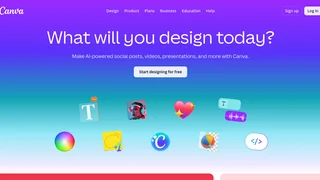
Canva AI is the artificial intelligence layer of the Canva online design platform, serving over 220 million monthly active users across 190 countries. Originally launched in 2013 as a simple drag-and-drop design tool, Canva has evolved into a comprehensive visual communication suite with deeply integrated AI capabilities. Canva AI 2.0, announced in 2025, introduces a conversational creative partner that works alongside users inside the editor from first idea to final design.
Key AI Capabilities
Canva AI offers a broad range of generative and assistive features accessible directly within the Canva editor:
Magic Write is an AI writing assistant that generates copy, headlines, social media captions, document content, and email drafts. It can adopt a user's brand voice and tone, making it suitable for marketing, social media management, and business communications. Magic Write is integrated into Canva Docs, Presentations, and Whiteboards.
AI Image Generator converts text prompts into images, illustrations, and artwork. Users can generate photorealistic photos, digital art, and conceptual graphics. The tool supports style customization, aspect ratio control, and can generate images in multiple variants. The AI Art Generator provides stylised artistic interpretations, while the AI Photo Generator focuses on photorealistic output.
AI Video Generator (Create a Video Clip), powered by Google Veo 3, generates up to eight-second cinematic video clips from text prompts with synchronised audio including dialogue, sound effects, and music. Users can create AI avatars that speak scripts in over 40 languages using D-ID integration. The AI video generator also supports talking head videos from uploaded photos or selfies.
AI Photo Editor provides point-and-click editing capabilities including automatic enhancement, retouching, object removal, background removal, and lighting correction. The Magic Background tool seamlessly replaces or removes image backgrounds with AI-generated alternatives.
Magic Layers is a newer feature that converts AI-generated designs into fully editable, layered layouts. Instead of receiving a flat image, users get individual elements they can move, resize, recolour, and restyle independently.
Magic Animate adds motion to static designs, converting illustrations, logos, and text into animated sequences suitable for social media, presentations, and video content.
Magic Resize automatically adapts designs to multiple formats and dimensions, enabling one-click reformatting for different social media platforms, print sizes, and screen dimensions.
Canva Code is an AI code generator that produces HTML, CSS, and JavaScript code from natural language descriptions. It is designed for educators, students, and web designers who need to create interactive web content, data visualisations, and animations.
AI Voice Generator and AI Music Generator produce synthetic voiceovers and original music tracks from text descriptions. Voiceovers support multiple languages and speaking styles. The Text to Speech tool converts written content into natural-sounding audio narration.
Translate uses AI to translate designs and documents into over 100 languages while preserving layout and formatting. Magic Insights provides AI-powered data analysis within Canva Sheets, surfacing trends, outliers, and summary statistics.
Canva AI 2.0 — Conversational Design
Canva AI 2.0 (labelled 'coming soon' on the official site) represents the next generation of the platform's AI capabilities. It functions as a conversational creative partner that can start from a text or voice prompt, pull context from connected tools to generate on-brand designs, run web research and bring insights directly into the design canvas, learn a user's personal style over time to personalise outputs, and schedule AI tasks to run at specific dates or on a recurring basis. These capabilities are designed to make AI an ongoing collaborator rather than a one-off generation tool.
Integrations and Platform
Canva AI is accessible across Canva's entire Visual Suite including Canva Docs, Presentations, Whiteboards, Websites, Video Editor, and Sheets. The Canva Apps Marketplace offers hundreds of third-party integrations connecting Canva to platforms like Google Drive, Dropbox, Slack, YouTube, and social media scheduling tools. Canva Code can import live data from spreadsheets and APIs to create dynamic data-driven content.
Pricing and Availability
Canva AI features are available across all Canva pricing tiers. The Free plan provides access to a limited set of AI tools with usage caps. Canva Pro (paid subscription) unlocks higher usage limits, premium features like Magic Resize, Background Remover, and AI Video Generator access. Canva Business adds team collaboration features, brand management controls, and org-level AI administration. Canva Enterprise includes Canva Shield with advanced privacy, security, and indemnification protections for organisations with over 100 seats. K-12 educational organisations and verified nonprofits can access most premium features free of charge.
Safety and Privacy
Canva implements built-in AI safeguards including automated review of input prompts for inappropriate content, granular AI controls at individual and organisation levels, and Canva Shield — a suite of privacy, security, and compliance protections. The company states that it does not use user content to improve AI-powered features unless consistent with the user's privacy controls. Canva provides transparency reports and AI Product Terms detailing its approach to responsible AI development.