t0ggles
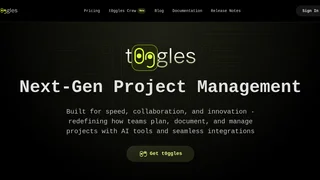
An AI-powered project management platform that lets teams manage multiple projects on a single board with AI task creation, board automations, and GitHub integration.
카테고리
개요
t0ggles is a next-generation project management platform that combines multi-project Kanban boards with AI-powered task creation, board automations, and developer-friendly integrations. Built by Vladimir Kharlampidi -- the creator of open-source projects like Swiper, Framework7, and Konsta UI -- t0ggles is designed for teams that track multiple projects simultaneously without constantly switching between workspaces. Its standout capability is the multi-project board, where every project's tasks live together in a single view, with a Project Focus mode that drills down into one project at a time like a traditional Kanban board.
The platform targets startups, agencies, freelancers, and development teams who want a fast, visually clean alternative to Jira or ClickUp. With a single $5 per user per month plan that includes unlimited boards, projects, tasks, notes, file uploads, custom fields, and integrations, t0ggles takes an all-inclusive approach rather than tiering features across plans.
Key Features
- Multi-project boards. Track every project's progress, bottlenecks, and due dates on one board. Project Focus mode isolates a single project's columns, combining a portfolio overview with the detail of a traditional Kanban.
- AI-powered task creation. Describe what needs to be done in plain language, and t0ggles structures it into a task with due dates, tags, and priorities. The AI text assistant can refine, summarize, and translate task descriptions and notes.
- MCP server for AI assistants. t0ggles exposes a Model Context Protocol server that lets Claude, Cursor, VS Code, and other MCP-compatible AI tools create tasks, check assignments, and update statuses from your editor.
- Board automations. Build rules visually with a zero-code builder. Task-based rules auto-assign or update statuses when conditions are met. Schedule rules create recurring tasks like daily standups.
- GitHub integration. Create and link t0ggles tasks from GitHub issues and pull requests using commands in commit messages or comments. The t0ggles GitHub bot handles linking and sends preview cards back to the thread.
- Calendar and Gantt views. Month, Week, and Day calendar views support drag-and-drop scheduling and two-way sync with Google Calendar. The Gantt chart view lets teams visualize timelines and adjust dates with drag-and-drop.
- Guest access and custom domains. Invite clients as guests with board-level or project-level permissions. Replace t0ggles.com with your own domain so clients see your brand when accessing shared boards.
AI Capabilities and Automations
t0ggles layers AI throughout the project management workflow. The AI task creator turns natural language descriptions into structured tasks. The AI text assistant embedded in the editor can refine, summarize, or translate task descriptions and notes.
The MCP server extends AI assistance beyond t0ggles itself. Developers can ask Claude or Cursor to create tasks, check assignments, or move items to done without leaving their IDE. The t0ggles Crew desktop application runs AI agents that autonomously pick up tasks from your board, execute them, and stream their output back in real time. Multi-agent pipelines chain specialized agents into automated workflows, with scheduling options including interval, fixed-time, manual trigger, and auto-polling modes.
How t0ggles Works
t0ggles organizes work around boards, each containing multiple projects with their own sets of status columns. A software agency board might hold five client projects at once, with tasks moving through standard status columns from Backlog to Done. Project Focus mode isolates one project into its own Kanban view while the multi-project overview stays one click away.
Tasks support rich content through a built-in editor with syntax highlighting, file attachments, image embeds, tables, action items, and @mentions. Notes live alongside tasks, organized into folders, with a Zen mode for distraction-free writing. Quick Search finds tasks and notes across all projects, and filters narrow by assignee, status, due date, tags, or custom fields.
Pricing and Plans
t0ggles offers a single paid plan at $5 per user per month billed annually. The plan includes unlimited boards, projects, tasks, notes, file uploads, custom fields, tags, integrations, and custom domains. AI-powered task creation and the AI text editor assistant are included at no extra charge. A 14-day free trial is available, and there is no permanently free tier. Discounts are available for startups, educational institutions, open-source projects, and non-profit organizations upon request.
t0ggles operates an affiliate program through the nolimits4web partner platform, offering 40 percent commission on referred subscriptions with a 60-day tracking cookie and a 300 dollar minimum payout threshold.
Pros and Cons
Pros:
- Single all-inclusive plan at 5 dollars per user per month removes feature-gating anxiety common in tiered PM tools.
- Multi-project board design eliminates switching between workspaces to see cross-project status.
- MCP server and GitHub integration make it uniquely suited for development teams using AI coding assistants.
- Zero-code automation builder with task-based triggers and schedule rules replaces manual recurring work.
- Guest access and custom domains make client-facing project sharing straightforward without exposing internal details.
- Import support for Trello, Jira, and CSV or JSON files eases migration from other tools.
Cons:
- No mobile native app -- the platform is web-only with PWA support, which may feel limited for teams reliant on mobile task management.
- No built-in time tracking, workload management, or resource allocation features found in enterprise-focused PM tools.
- Email-only support with no live chat or phone option may slow issue resolution in critical situations.
Who Should Use t0ggles
t0ggles is best suited for small to mid-sized teams -- startups, digital agencies, freelance developers, and open-source maintainers -- who manage multiple projects in parallel and want a fast, visually clean board without the configuration overhead of Jira or ClickUp. Development teams using GitHub and AI coding assistants like Cursor or Claude will find the MCP server and GitHub bot especially useful for bridging project management into their existing IDE workflow. t0ggles is less suitable for large enterprises that require resource planning, time tracking, compliance reporting, or granular permission hierarchies, as well as teams that depend on a fully native mobile experience for day-to-day task management.
도구 개요
가격
유사한 AI 도구
ElevenLabs
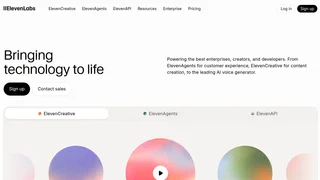
70개 이상의 언어로 텍스트 음성 변환(TTS), 음성 텍스트 변환(STT), 목소리 복제, 음악 생성 및 대화형 AI를 제공하는 AI 음성 합성 및 음성 에이전트 플랫폼입니다.
Gamma - AI Presentations
Gamma는 간단한 텍스트 프롬프트를 통해 아름다운 프레젠테이션, 문서, 웹페이지를 생성할 수 있도록 지원하는 AI 기반 콘텐츠 제작 플랫폼입니다.
Hyperbrowser
Cloud browser infrastructure for scaling automated browsing, testing, scraping, and AI agents.