Categories
Overview
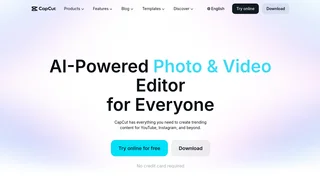
CapCut is a comprehensive AI-powered video and photo editing platform developed by ByteDance, the company behind TikTok. Designed for creators, social media managers, marketers, and everyday users, CapCut combines professional-grade editing tools with generative AI features to make content creation accessible to everyone. Available across desktop, mobile, web, and tablet, it has amassed over 100 million downloads and maintains a 4.7-star App Store rating.
Key Capabilities
CapCut offers a full spectrum of editing tools organized around video, image, text, and audio workflows. The core video editor supports timeline-based cutting, trimming, transitions, keyframe animation, speed ramping, multi-track layering, and chroma key compositing. Its AI video generator can produce clips from text prompts or reference images, while the Video Studio feature builds complete videos from a conversational chat , including style, avatar, music, and voiceover selection.
On the image side, CapCut provides AI-powered background removal, image upscaling and enhancement, AI inpainting (object removal and replacement), a face cutout tool, and an online photo editor with smart cropping and filters. The AI Design tool generates professional layouts for social media posts, covers, and marketing materials automatically.
For audio and text, CapCut includes text-to-speech with natural-sounding voices, auto captions and subtitle generation with multi-language support, voice enhancement, background noise reduction, and audio extraction from video.
AI and Generative Features
Beyond standard editing, CapCut integrates several advanced AI capabilities. The AI video and image generators transform text descriptions into custom visuals. Dreamina Seedance 2.0 enables video-to-video generation, and the platform supports AI effects templates, AI art generation, and AI logo creation. The platform also offers a library of thousands of customizable templates spanning social media, holidays, business, and effects categories, allowing users to start from a pre-built design rather than a blank timeline.
Platforms and Availability
CapCut is available as a desktop application (Windows and macOS), a mobile app (iOS and Android), a web-based online editor (Chrome, Edge, and other modern browsers), and a tablet-optimized version called CapCut Pad. Projects sync across devices through cloud storage, and the online editor supports real-time collaboration. The platform is localized in 20 languages.
Pricing Model
CapCut operates on a freemium model. The free tier provides access to a wide range of editing tools, templates, and effects with no watermark on exports. CapCut Pro unlocks additional features including advanced AI effects, AutoCut, smart captions, higher resolution exports, priority rendering, and exclusive templates. Pro subscriptions are available on monthly and annual billing cycles.
Use Cases
Content creators use CapCut for YouTube videos, TikTok clips, Instagram Reels, and short-form social media content. Marketers and small businesses leverage its template library and AI Design tool for promotional videos, ads, and social media graphics. Educators and trainers create explainer videos with auto captions and text-to-speech narration. The platform also serves podcasters for video editing and audio cleanup, and designers for quick photo retouching and compositing without dedicated imaging software.
Integrations and Ecosystem
CapCut integrates tightly with the TikTok and ByteDance ecosystem, with features like TikTok video templates and direct publishing. The platform also partners with NVIDIA, Runway, and Google for underlying AI infrastructure and processing capabilities. CapCut supports importing and exporting standard media formats including MP4, MOV, AVI, MP3, WAV, PNG, JPEG, and GIF.
Privacy and Security
CapCut publishes its terms of service, privacy policy, cookies policy, material license agreement, creator agreement, and community guidelines publicly. The platform maintains a Trust Center with transparency reports and compliance documentation. As a ByteDance product, CapCut operates under the same data handling and security frameworks as TikTok, with regional data storage options and GDPR compliance measures for European users.
Tool Overview
Pricing
Similar AI Tools
Stability AI Developer Platform
Stability AI is a developer platform for building image, video, audio, and 3D applications with APIs, sandbox tools, and credit-based pricing.

Muku AI
Muku AI is an AI influencer agency platform that transforms product URLs, scripts, and ideas into professional UGC-style video ads.
Clipchamp
Microsoft AI-powered online video editor for creating, editing, and sharing HD videos with no expertise required.

MagicFit
AI-powered size recommendation engine for fashion ecommerce brands. Customers get accurate size recommendations in 2 clicks using height, weight, age, and bra size — boosting conversion up to 31%, AOV up to 33%, and reducing returns by up to 25%.
Let's Enhance
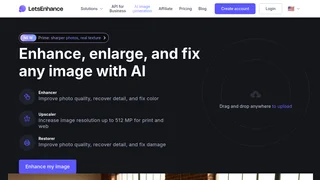
AI-powered image upscaling and enhancement platform that reconstructs natural detail, sharpens photos, removes backgrounds, and restores old images using generative AI.