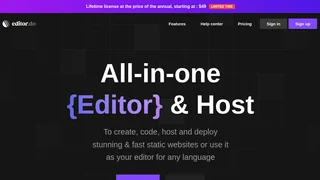
Editor.do is an all-in-one, browser-based code editor and static web hosting platform that eliminates the need for local development environments. It combines a full-featured IDE, real-time preview, free SSL certificates, and one-click deployment into a single workspace. Whether you are a front-end developer prototyping a landing page, a student learning to code, or a freelancer shipping client sites, Editor.do aims to make the process fast and frictionless.
Core Features
The platform centers around a full-featured code editor that supports syntax highlighting, find-and-replace, and keyboard shortcuts for every major programming language. Every change you make to HTML, CSS, or JavaScript is reflected instantly in a live preview pane, so you see exactly what your users will see without manual browser refreshes.
Editor.do includes a drag-and-drop visual builder with a library of pre-built components. This lets you assemble layouts visually while still having full access to the underlying code. For developers who prefer a head start, there are over 1,000 free and open-source templates that can be installed with a single click.
A built-in AI assistant powered by ChatGPT sits alongside the editor. You can use it to generate code snippets, debug errors, refactor functions, or learn programming concepts step by step without leaving the workspace.
Hosting and Deployment
Every project on Editor.do comes with production-grade hosting. Key infrastructure details include:
- Free SSL certificates provisioned automatically for every site, including custom domains.
- NVMe SSD storage with 1 Gbit throughput for fast page loads.
- Custom domain support via two simple DNS records, or a free editor.do subdomain.
- File hosting for images, videos, music, and other assets beyond just HTML, CSS, and JS.
- ZIP upload and extraction to migrate existing static sites in under 30 seconds.
- Daily automated backups with full data export available at any time.
Pricing and Lifetime Deals
Editor.do uses a lifetime licensing model: pay the annual price once and keep access forever. There is also a 7-day free trial with no credit card required:
- Trial: Free for 7 days, 1 website, 100 MB storage, full editor features, and all templates.
- Starter: $48 one-time (normally $4/month), up to 5 websites, 1 GB storage, unlimited traffic, and standard support.
- Medium: $96 one-time (normally $8/month), up to 20 websites, 5 GB storage, unlimited traffic, and prioritized support.
- Elite: $144 one-time (normally $12/month), up to 100 websites, 10 GB storage, unlimited traffic, and prioritized support.
All paid plans include unlimited traffic, free SSL certificates, full editor features, and access to the complete template library. The lifetime pricing makes Editor.do particularly attractive for freelancers and agencies who manage multiple client websites and want predictable costs.
Who Is Editor.do For?
The platform serves a broad audience:
- Front-end developers who want a fast prototyping environment without local tooling overhead.
- Designers and no-code builders who prefer visual page construction with the option to dip into code.
- Students and learners who benefit from the AI assistant and zero-setup environment.
- Freelancers and small agencies who need to build, host, and manage multiple static client sites at a fixed cost.
- Educators teaching web development who want students to start coding immediately without installing software.
Limitations to Consider
Editor.do is purpose-built for static websites. If your project requires a backend, database, or server-side logic, you will need to look elsewhere. The storage caps (1 GB to 10 GB depending on plan) are generous for static sites but may be restrictive for media-heavy projects. Advanced IDE features like integrated terminal access, Git version control, and collaborative editing are not available at the time of writing.
Editor.do does not currently offer an affiliate or referral program.
Final Verdict
Editor.do is a well-executed platform that meaningfully lowers the barrier to building and deploying static websites. The combination of a capable browser IDE, instant preview, AI assistance, and one-click hosting removes the friction that often slows down web projects. The lifetime pricing model is a standout differentiator. For static site projects, prototyping, and client work, Editor.do is a practical and cost-effective tool worth trying.