Categories
Overview
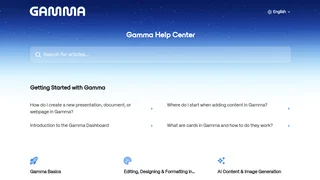
Gamma is an AI-powered platform for creating presentations, documents, and webpages from prompts, pasted text, or imported files. It uses a card-based format that is more visual than a traditional doc and more interactive than a standard slide deck. Gamma is built for marketers, educators, founders, and teams that need polished storytelling assets without manual layout work in PowerPoint or Google Slides.
Key Features
- Generate, Paste, and Import modes let users draft from a topic, reformat existing copy, or convert uploaded decks, documents, and URLs into structured Gamma content.
- Card-based layouts break long text into bite-sized sections that resize dynamically and support nested cards, toggles, and footnotes.
- AI editing and Agent suggestions refine wording, propose new cards, and help expand outlines from the in-editor sparkle controls.
- AI image generation supports basic, advanced, premium, and ultra image models depending on plan tier.
- Publishing and sharing includes live presenting, webpage exports, password protection, custom domains on paid plans, and viewer analytics on higher tiers.
- Team workspaces provide shared folders, centralized billing, custom company themes, and role-based member management.
- API access is available on Pro and higher plans for programmatic generation workflows.
How Gamma Works
Users start in the Gamma dashboard, choose a creation mode, and provide a topic or source material. Gamma drafts an initial card stack with headings, bullets, and optional images. After generation, users edit cards manually or with AI suggestions, apply themes, embed media, and publish as a shareable webpage or presentation. Teams can standardize output with workspace-level custom themes that apply brand colors, fonts, and logos.
Design and Publishing Options
Gamma supports theme customization, page setup controls, and website publishing with multi-page sites on paid plans. Pro users can attach custom domains to published sites, while Ultra expands domain limits and adds early access features such as Studio Mode for image-heavy slide generation. Presenters can hide cards in the filmstrip, export content, and track engagement on eligible plans.
Pricing and Plans
Gamma offers Free, Plus, Pro, Ultra, Teams, and Business subscriptions with per-user billing on paid tiers. AI credits power advanced generation, Agent usage, premium image models, and API calls, while many standard presentation and image actions are included on paid plans.
| Plan | Price | Key Features |
|---|---|---|
| Free | $0 | AI creations with non-refreshing credits, up to 10 cards per prompt, 50k input tokens, basic image models |
| Plus | Monthly or annual billing | 1,000 monthly credits, removes Made with Gamma badge, up to 20 cards per prompt, advanced image models |
| Pro | Monthly or annual billing | 4,000 monthly credits, API access, custom fonts and domains, detailed analytics, up to 50 cards per prompt |
| Ultra | Monthly billing | 20,000 monthly credits, ultra image models, up to 75 cards per prompt, up to 100 custom domains |
| Teams | $240/seat, 2 seat minimum | Pro features plus centralized billing, shared folders, admin controls, 6,000 monthly credits, 10 custom domains |
| Business | $480/seat, 10 seat minimum | Teams features plus SSO, advanced data controls, SOC 2 documentation on request, 10,000 monthly credits, 100 custom domains |
Unused paid-plan credits roll over up to double the monthly allowance. Free users can earn additional credits through referrals. Annual plans bill at a discount compared with monthly subscriptions.
Pros and Cons
Pros:
- Fast path from outline to designed deck, doc, or microsite without traditional slide formatting.
- Card model keeps dense topics readable on web and mobile screens.
- Team and Business tiers add branding, SSO, and workspace governance for larger organizations.
- Credit rollover on paid plans reduces waste for intermittent creators.
Cons:
- Free-plan credits do not refresh, so heavy AI usage requires upgrades or referrals.
- Advanced AI actions consume credits even on paid tiers, which can surprise high-volume users.
- Teams and Business plans enforce minimum seat counts that may be high for very small groups.
- Ultra is monthly-only at launch, limiting annual billing flexibility for top-tier buyers.
Who Should Use Gamma
Gamma fits solo creators, startup teams, educators, and marketing groups that publish frequently and want AI to handle first-pass structure and design. It is especially strong for thought-leadership decks, lesson materials, and lightweight product sites. Organizations that require deep PowerPoint animation control or strict offline desktop workflows may still export or pair Gamma with traditional slide tools rather than replacing them entirely.
Tool Overview
Pricing
Similar AI Tools

SlidesAI
SlidesAI is an AI presentation maker add-in for Google Slides and PowerPoint that turns topics or pasted notes into structured slide decks with themes, rewrites, and image support.
Hirezen
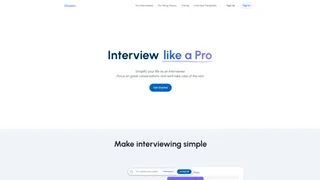
AI-powered interview platform that helps individual interviewers and hiring teams plan, conduct, and evaluate interviews with AI-generated questions, real-time scoring, and automated feedback.

Supernormal AI
AI agents for agencies that turn meeting notes into client deliverables — slides, documents, emails, and visuals — without a bot joining calls.
LangPDF
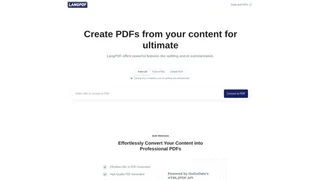
LangPDF is an AI-powered document generator that turns plain-language prompts and reusable templates into professional PDFs for invoices, contracts, resumes, reports, and other business documents.

OneTask
OneTask is an AI-powered task management app designed for individuals with ADHD and neurodivergent users, offering intelligent prioritization, automated reminders, and Google Calendar and Gmail integration.