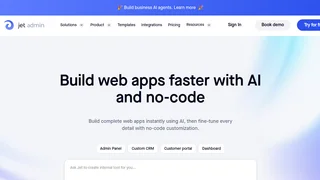
Jet Admin is a no-code platform for building custom business applications, internal tools, admin panels, customer portals, and dashboards without writing code. Created by Geex Arts and backed by Y Combinator, it combines a visual drag-and-drop builder with AI-powered app generation so teams can ship connected tools quickly without waiting on engineering cycles.
Key Features
- AI app generation: Users describe what they need in plain language and Jet AI generates a working application with connected data, logic, and design, reducing build time from weeks to minutes.
- 50+ data source integrations: Connects to PostgreSQL, MySQL, Firebase, Airtable, Google Sheets, REST APIs, GraphQL, and more through a unified data layer with spreadsheet-style editing.
- Visual component builder: Includes more than 30 built-in components such as tables, forms, charts, Kanban boards, and maps, plus support for custom React, Angular, Vue, or HTML components and a Figma plugin.
- Workflow automation: Offers a visual workflow builder with conditional logic, scheduled runs, email and Slack actions, webhook triggers, and a built-in debugger for testing automations.
- Enterprise security: Supports record-level permissions, role-based access control, SAML SSO, two-factor authentication, audit logging, and self-hosted deployment on AWS, Google Cloud, or Azure.
- AI data helpers: Smart AI Columns, AI Formulas, and automated SQL and HTTP request generation simplify data management across connected sources.
How Jet Admin Works
Teams connect their existing databases and APIs, then assemble interfaces with drag-and-drop components or AI-generated layouts. The platform handles CRUD operations, filtering, bulk edits, and workflow triggers from a single admin environment. Version control with release management lets teams draft changes, publish instantly, or roll back when needed. Separate production, staging, and development environments help keep sensitive workflows controlled.
Use Cases
Common deployments include admin dashboards for database management, customer portals for partner collaboration, inventory tracking systems, custom CRM views, approval workflows, and AI agents that query live business data. Product operations teams use Jet Admin to replace spreadsheet-driven processes, while support groups build ticket and account lookup tools connected to production systems. Because the builder supports custom code and Figma-to-app workflows, teams can move from prototype to production without rebuilding the entire interface in a separate framework.
Pricing and Plans
Jet Admin uses tiered subscriptions. The Free plan supports one user and one app with core features. Starter is $24 per user per month or $39 per month flat for up to 500 users and adds team permissions and version control. Pro is $48 per user per month and adds custom domains, whitelabel branding, and custom code. A separate AI Agent track starts with a Free tier offering 50,000 AI credits per month and a Pro plan at $31 per user per month. Enterprise plans start at $649 per month for internal tools and offer custom pricing for AI Agents with unlimited apps, on-premise deployment, dedicated support, and custom SLAs.
Pros and Cons
Pros:
- Strong fit for operations, support, and business teams that need internal tools without dedicated developers.
- AI generation and data-connected components speed up dashboard and portal delivery.
- Broad database and API support reduces the need for custom middleware.
- Workflow automation and enterprise security features scale beyond simple CRUD apps.
Cons:
- Pricing can climb quickly for larger teams on per-user plans.
- Advanced customization still benefits from frontend knowledge for custom components.
- Self-hosted and enterprise options add procurement complexity compared with simple SaaS tools.
- AI Agent pricing is tracked separately from the core internal-tools product line.
Who Should Use Jet Admin
Jet Admin is best suited to product operations teams, customer support departments, business analysts, and agencies building admin dashboards, customer portals, inventory trackers, custom CRM views, and AI agents that read databases and automate workflows. It is a weaker fit for teams that only need a basic form builder or a fully custom product codebase with no visual layer constraints.