Categories
Overview
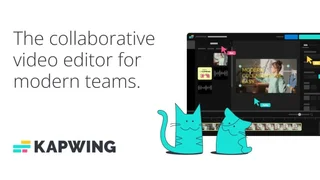
Kapwing is a browser-based content creation platform that helps marketers, educators, and social teams edit videos, images, audio, and GIFs with AI-assisted tools and collaborative workspaces. It is designed for fast repurposing across TikTok, YouTube, Instagram, and other channels without installing desktop editing software.
AI-Powered Editing Tools
Kapwing bundles several automation features into one online editor. Smart Cut removes silences to speed up talking-head edits. Auto-subtitling generates captions that can be translated into more than 60 languages. Text-to-speech creates narration from written scripts, while dubbing and lip sync help localize videos for new audiences.
Background removal works on both video and images, producing transparent assets for overlays and thumbnails. Clean Audio reduces noise and levels volume across clips. Resizer, Find Scenes, and video stabilization simplify adapting content to different aspect ratios and platforms.
Creation and Collaboration
- Drag-and-drop timeline editing with templates, stock media, transitions, and chroma key effects
- Screen, camera, and audio recording directly inside the browser editor
- Import content by pasting links from TikTok, YouTube, Twitter, and other sources
- Real-time collaboration, commenting, project link sharing, and version history on paid workspaces
- Brand Kit with custom fonts and logos for consistent team output
Use Cases
- Social media managers turning long webinars into short clips
- Teachers adding subtitles and translations to classroom videos
- Marketing agencies producing branded client content without heavy NLE training
- Creators testing thumbnails, memes, and repurposed clips from existing footage
Plans and Credits
Kapwing offers Free, Pro, Business, and Enterprise tiers priced in USD. The Free plan includes 10 credits per month, unlimited watermarked exports up to one minute at 720p, and limited auto-subtitling up to 10 minutes. Pro costs $16 per member per month billed annually or $24 monthly, with 1,000 credits, 4K exports up to two hours, no watermark, 100 GB storage, and expanded AI minute allowances. Business is $50 per member monthly on annual billing or $64 monthly, adding 4,000 credits, custom voice clones, lip sync, and 500 GB storage. Enterprise provides custom credits, SSO, dedicated support, and tailored onboarding. Credits cover premium AI actions such as extended subtitling, dubbing, and generative features.
Editing Workflow
A typical Kapwing session starts by importing footage from a link or upload, then applying Smart Cut and Clean Audio before captions are generated. Editors adjust subtitle timing in the timeline, swap fonts through Brand Kit assets, and export a vertical version with the resizer for Shorts or Reels. Teams leave timestamped comments for reviewers instead of passing large files over chat apps.
Educators often batch-translate an entire lecture recording into multiple languages, while performance marketers duplicate a winning ad and swap hooks using text-to-speech variants for rapid creative testing.
Platform Notes
Because Kapwing runs in the browser, teams can start from free tools and upgrade when they need longer exports, watermark-free delivery, or shared workspaces. Free projects have shorter cloud retention, while paid workspaces keep assets indefinitely. Kapwing does not offer refunds on Pro or Business subscriptions, so teams typically validate workflows on the free tier first. The editor supports MP4, PNG, JPG, MP3, and GIF exports, making it practical for mixed-media campaigns rather than video-only pipelines.
Built-in stock libraries reduce separate b-roll licensing for simple posts, while downloadable SRT and VTT subtitle files help teams reuse captions on native platform uploaders. Enterprise customers can add SAML SSO, custom billing, and dedicated account management when video production becomes a core marketing operation. Kapwing is used by teams at universities, media companies, and consumer brands that need fast turnaround on short-form content.
Tool Overview
Pricing
Similar AI Tools

FlexClip
FlexClip is a browser-based AI video editor that helps marketers, educators, and creators make social clips, promos, and explainers using templates, stock media, and automated subtitles.
InVideo
AI-powered video creation platform with intelligent agents, 200+ AI models, and a full timeline editor for filmmakers, advertisers, and content creators.
Clipchamp
Microsoft AI-powered online video editor for creating, editing, and sharing HD videos with no expertise required.
VEED.io — AI Video Editor
AI-powered online video editor for creating professional social media content with auto-subtitles, AI avatars, text-to-video, and brand kits.
Quso AI
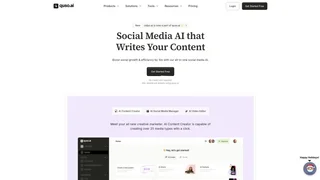
Quso AI is an all-in-one social media AI platform that helps content creators, coaches, and businesses repurpose long-form videos into short clips, add AI subtitles, and schedule posts across seven social platforms from a single dashboard.