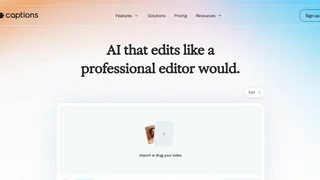
Captions is an AI video editor that produces fully finished videos from raw footage or generative inputs, positioning itself as editing with taste rather than speed alone. Used by more than 20 million creators and businesses with over three million videos processed monthly, Captions automates captions, B-roll, music, eye-contact correction, and style-driven edits through one-tap AI Edit and a chat-based editor.
AI Edit Styles
AI Edit applies curated visual styles such as Bloom, Prism Pro, Paper, Prime, and Elevate that cut scenes, overlay B-roll, add transitions, and mix audio automatically. Users upload horizontal or vertical footage, pick a style, and receive a polished draft within minutes. The same engine supports automatic captions in 100+ languages, keyword animations, and translated subtitles with lip-sync dubbing on paid tiers. Styles can be switched after generation to compare creative directions without rebuilding from scratch.
Generative Creation
Max and Scale plans unlock generative workflows: custom AI actors and digital twins from selfies, AI Creator for scripted presenter videos, AI Ads and AI Skits for promotional formats, and tools that generate B-roll, music, sound effects, and images from prompts. The chat-based editor accepts natural language instructions to refine pacing, swap visuals, or adjust tone, which lowers the learning curve for first-time editors.
Audio and Enhancement Tools
Captions includes AI Denoise for cleaning room tone, trim-pause removal for filler words, voice cloning, AI voiceover, and eye-contact correction that makes on-camera talent appear to look directly at the lens. Teleprompter, resize, zoom, and transition tools cover traditional touch-ups when you want manual control alongside automation. Link-to-video features convert articles or Reddit threads into short reels for content repurposing.
Use Cases
- Social creators: Turn selfie footage into styled Shorts and Reels without learning Premiere or DaVinci.
- Marketers and agencies: Produce ad variants and product demos with AI actors when filming is impractical.
- Podcasters: Clip interview footage with captions and automatic scene pacing.
- Global brands: Translate and dub existing videos for regional campaigns.
- Enterprise teams: Scale generative video with custom seats, training exclusions, and dedicated support.
Plans and Pricing
Captions is free to sign up with basic trimming, transitions, and limited caption templates. The Max plan costs $24.99 per month and includes AI Edit styles, generative actor creation, chat-based editing, and 500 monthly credits for B-roll, music, and image generation. Scale tiers start at $69.99 per month for 1,400 credits, with 2x and 4x options at $139.99 and $279.99 for higher throughput and advanced models. Unused credits roll over up to three times the monthly allowance. Enterprise offers custom pricing with bulk credit discounts, SSO-ready onboarding, and beta feature access. Pricing shown reflects iOS plan structures published on the Captions site.
Mirage Studio Merger
Captions recently merged Mirage Studio into its product, so existing Mirage subscribers access prior AI actor projects inside the Captions workspace with added editing features. Enterprise customers receive training data exclusion, dedicated account management, and early beta access for new generative models. The company reports more than 100,000 daily users and coverage in outlets including Bloomberg, TechCrunch, and The New York Times, reflecting adoption among creator-economy and marketing teams prioritizing mobile-first video.
Who Captions Fits Best
Captions targets creators and brands that want near-finished social video from minimal input, especially when on-camera presence or multilingual reach matters. It is less focused on long-form episodic editing or collaborative broadcast workflows. Teams exploring AI actors, one-tap styling, and generative supplemental media will find Captions a strong fit when subscription credits align with their monthly output targets.