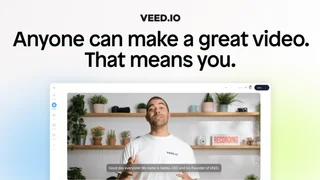
VEED is a browser-based AI video creation and editing platform designed for social media managers, marketing teams, digital creators, and businesses of all sizes. The platform aims to streamline the video production process by combining a traditional timeline editor with a suite of generative artificial intelligence capabilities. Trusted by teams at large companies like Amazon, Google, Netflix, and BBC, the platform provides a completely online workflow that eliminates the need for downloading heavy desktop editing software or investing in high-end computer hardware.
By integrating automated subtitle generation, translation tools, and collaborative workspaces, the service allows users to manage the entire video lifecycle in a single browser tab. The editor is highly accessible for beginners with no video production background while offering advanced tools for professional-grade marketing campaigns.
Key Features
- Auto-Subtitles and Captions: The platform generates highly accurate subtitles automatically and offers dynamic caption styles to maximize engagement on platforms like TikTok and Instagram.
- AI Video Generation: Users can create video clips from text prompts, scripts, or static images using the built-in AI Playground, which supports leading video models.
- AI Avatars and Dubbing: Talking-head presenter videos can be generated using realistic AI avatars, and voice dubbing tools translate content into multiple languages while preserving the original speaker's tone.
- Collaborative Workspaces: Workspaces support real-time team collaboration, allowing multiple editors to work on the same video project, leave feedback, and share assets.
- Brand Kit: Teams can store brand fonts, logo files, color palettes, and custom watermarks to ensure all video output remains consistent across different marketing campaigns.
- Editing Enhancements: Built-in utilities include eye contact AI correction, background noise removal, video background removal, a teleprompter, and screen recording tools.
AI-Powered Video Tools
VEED operates as a unified interface for several generative video backends, providing access to over 200 AI models for video, image, audio, and music generation. Within the AI Playground, users can experiment with advanced models like Google Veo 3.1, OpenAI Sora 2, and Kling AI to generate high-quality video clips. The credit system consumes plan credits depending on the complexity and output length of the selected model. Monthly plan credits refresh at the start of each billing cycle, whereas annual plan credits are allocated upfront. Unused credits do not roll over, but users can buy on-demand credit top-ups to complete larger projects.
Pricing and Credits
VEED operates on a credit-based subscription model, with pricing structured per user seat. Paid plans unlock watermark-free exports, higher resolutions, and larger AI credit limits.
| Plan | Price (Monthly) | Price (Annual Billing) | Key Features and Limits |
|---|
| Free | $0 | $0 | Watermarked exports, 720p resolution limit, 10-minute project length cap, and basic stock assets. |
| Creator | $20/month | $12/month | Watermark-free exports, 1080p resolution, 25-minute project limit, and 6,000 AI credits per year. |
| Pro | $40/month | $24/month | 4K video exports, unlimited project length, full brand kit, and 30,000 AI credits per year. |
| Business | $70/month | $59/month | Team collaboration tools, unlimited storage, custom templates, and 180,000 AI credits per year. |
Custom Enterprise pricing is also available for larger organizations requiring single sign-on (SSO), advanced security controls, dedicated account managers, and custom integration options. Paid subscriptions are billed per seat, meaning each editor added to the team workspace increases the total cost accordingly.
Pros and Cons
Pros:
- Completely browser-based editor eliminates installation and hardware requirements for quick edits.
- Industry-leading automatic subtitle generation and video dubbing capabilities for global outreach.
- Aggregates multiple advanced generative models (Sora 2, Veo 3.1) under a single web interface.
- Brand Kit and workspace collaboration make it easy for teams to maintain visual consistency.
Cons:
- Credit-based AI tools can become expensive for users who generate high volumes of video.
- Unused AI credits do not roll over to the next billing cycle, causing loss of unused value.
- The free tier is highly restrictive, including a mandatory watermark and low resolution cap.
- Seat-based pricing models can quickly increase total subscription costs for growing teams.
Who Should Use VEED
VEED is best suited for social media managers, marketing agencies, content creators, and corporate communications teams that need to produce high volumes of short-form video content quickly. Its automated subtitle styling, translation tools, and AI avatars make it particularly useful for generating TikTok, YouTube Shorts, and Instagram Reels campaigns. It is also an excellent tool for small businesses that want to create promotional materials or educational tutorials without hiring a professional video editor.
However, VEED is less suitable for traditional film editors who require advanced visual effects, deep audio mastering, or offline editing capability. Large teams should also carefully calculate their seat requirements and credit consumption patterns, as the costs of per-user billing and credit top-ups can scale up rapidly.