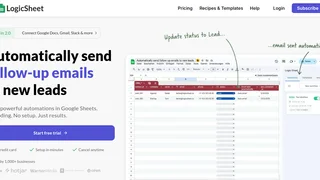
Logic Sheet is a no-code automation add-on for Google Sheets that lets users build trigger-based workflows directly inside their spreadsheets. Designed for operations teams, sales professionals, finance departments, and anyone who manages data in Google Sheets, it replaces manual repetitive tasks with automated actions without requiring scripts or programming knowledge.
Key Features
- Multiple trigger types to start automations: time-driven schedules (hourly, daily, weekly), Google Form submissions, spreadsheet edits (cell, row, or range changes), and incoming webhooks for external system integration.
- Conditional logic with if/then rules that refine when automations fire. Combine multiple conditions based on cell values, form data, or specific text matches to prevent unnecessary task execution.
- Broad action library including sending emails, Slack messages, HTTP/API requests, updating spreadsheet cells and rows, refreshing formulas, and writing to Notion, Airtable, HubSpot, and Mailchimp.
- AI agent integration with GPT and Gemini models, enabling rows to be enriched with AI-generated insights, summaries, or classifications directly within the automation flow.
- Pre-built template gallery with ready-to-use workflow recipes for sales, CRM, operations, and finance use cases that can be imported and customized in a few clicks.
- Merge tags for dynamic data that reference cell values in email bodies, Slack messages, and API payloads, making automated communications personal and context-aware.
- Cloud execution 24/7 with automation workflows that run even when the spreadsheet is closed, with email notifications if a workflow fails to execute properly.
How It Works
Setting up an automation in Logic Sheet follows a three-step process. First, define a trigger that kicks off the workflow, such as a new form response arriving or a specific cell value changing. Second, optionally set conditions that filter when the automation should run, for example only when a deal value exceeds a threshold or when a status column changes to a particular value. Third, select one or more actions to execute, like sending a notification email, updating a linked Airtable record, or posting data to an external API via HTTP request. All configuration happens through a sidebar interface inside Google Sheets, and no Google Apps Script coding is needed.
Use Cases
- Sales and CRM: Automatically update deal stages, trigger follow-up emails when a prospect status changes, and sync data between Google Sheets and HubSpot.
- Operations and task management: Notify team members via Slack when assigned tasks change status, trigger approval workflows, and remove completed rows after archiving.
- Finance and invoicing: Send invoice status notifications, trigger payment reminders based on due dates, and refresh financial formulas on a daily schedule.
- E-commerce monitoring: React to inventory threshold changes, track order status updates, and send real-time alerts when stock drops below critical levels.
- Lead processing from forms: Capture Google Form submissions, enrich lead data with AI insights, and push contacts to Mailchimp or a CRM via HTTP request.
Pricing and Plans
Logic Sheet is a paid add-on available through the Google Workspace Marketplace. The Individual plan includes full feature access for one Google account and supports both free Gmail and Workspace accounts. The Team plan covers five users under a single Google Workspace domain. The Enterprise plan provides unlimited user licenses for an entire Workspace organization. Lifetime license deals have been offered through third-party marketplaces at approximately 40, representing a discount from the regular listed price. A free tier with limited runs may be available for initial testing, but sustained use requires a paid plan. Custom development services under the Logic Sheet Build brand are available at 75 euros per hour for tailored automation solutions.
Pros and Cons
Pros:
- Runs entirely inside Google Sheets with no external dashboard or separate app required, keeping data within the Google ecosystem.
- Supports webhooks and HTTP requests, enabling integration with any service that exposes a REST API beyond the built-in connector list.
- Actively maintained with frequent feature releases and responsive developer support through live chat and email.
- No per-workflow or per-spreadsheet limits on the paid plans, allowing unlimited automations across unlimited sheets for a single license.
- Template gallery and recipe import feature lowers the learning curve for common automation patterns.
Cons:
- Cannot access or monitor Gmail directly, so email-based triggers such as opened, clicked, or replied events are not supported.
- Team and Enterprise plans require a Google Workspace organization, excluding teams using personal Gmail accounts from multi-user licensing.
- Built-in integrations are limited compared to dedicated automation platforms like Zapier or Make, though the HTTP request action mitigates this for API-savvy users.
Who Should Use Logic Sheet
Logic Sheet is best suited for teams and individuals who already run core business processes inside Google Sheets and want to eliminate manual, repetitive steps without leaving the spreadsheet environment. Operations managers, sales coordinators, finance analysts, and e-commerce operators who track data in sheets will find the most immediate value. It is less appropriate for users who need deep cross-platform automation connecting dozens of unrelated cloud services, as Logic Sheet's strength lies in spreadsheet-centric workflows rather than acting as a general-purpose integration hub.