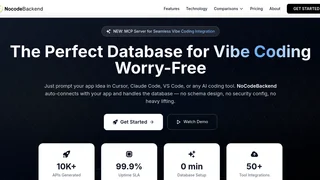
NoCodeBackend is an AI-powered backend-as-a-service platform that generates production-ready REST APIs and databases from natural language descriptions. Built for the era of AI-assisted development, it connects directly with coding tools like Cursor, Claude Code, and VS Code to auto-create tables, relationships, and endpoints as you describe your application in plain English. It targets developers who want to skip backend boilerplate, as well as non-technical founders and indie makers who need a working database without writing schema definitions or configuring servers.
Key Features
- AI-Powered API and Database Generation: Describe your data structure in natural language, and NoCodeBackend auto-creates tables, columns, relationships, and fully functional REST API endpoints. The platform has generated over 10,000 APIs and 1,000 smart schemas.
- MCP Server for AI Coding Tools: A dedicated MCP (Model Context Protocol) server lets NoCodeBackend live inside your AI coding environment. Prompt your app idea, and the backend auto-wires to your frontend without manual configuration.
- Auto-Generated Swagger Documentation: Every API comes with automatically generated OpenAPI/Swagger documentation that stays in sync with your database. Teams can share and consume API docs easily.
- Built-in Security and Authentication: Security is auto-configured out of the box, with enterprise-grade encryption, access controls, and 100% automated security testing. The platform reports 99% security compliance across deployments.
- Custom Domains and Webhooks: Attach custom domains to your APIs and configure webhooks for event-driven workflows. The Starter and Professional plans include 5 and 50 webhooks respectively.
- Direct SQL Query Execution: Beyond REST APIs, you can run raw SQL queries directly against your databases, giving you full control when needed.
- Team Collaboration: Invite team members to shared workspaces. The Starter plan supports 3 team members and the Professional plan supports up to 10.
- High-Performance Infrastructure: APIs respond in under 100ms on average with a 99.9% uptime SLA. The platform serves applications from globally distributed infrastructure.
How It Works
Getting started with NoCodeBackend follows a simple four-step workflow. First, connect NoCodeBackend to your preferred AI coding tool through the MCP server with a one-time setup that takes seconds. Second, describe your application in natural language -- for example, "Create a task management app with users, projects, and tasks." Third, NoCodeBackend auto-generates the database schema, tables, relationships, and REST API endpoints, automatically wiring everything to your frontend UI. Fourth, continue iterating by prompting for changes, and the database adapts and stays in sync with every modification. For teams not using AI coding tools, the platform also offers a web-based dashboard where you can build and manage databases directly.
Integrations
NoCodeBackend integrates with popular AI-powered coding environments including Cursor, Claude Code, and VS Code through its MCP server. The platform claims compatibility with over 50 external tools and services, covering authentication providers, analytics platforms, and deployment pipelines. The auto-generated REST APIs follow OpenAPI standards, making them compatible with any HTTP client, frontend framework, or third-party service that consumes RESTful endpoints.
Pricing and Plans
NoCodeBackend offers three pricing tiers with monthly or annual billing options. The Free plan costs $0 and includes 1 database with 1 table (unlimited columns), auto-generated REST APIs, auto-generated API documentation, AI-assisted database generation, SQL query execution, and custom domain support. The Starter plan costs $29 per month and adds 15 databases, unlimited tables and columns, 5 webhooks, and 3 team members. The Professional plan costs $99 per month and expands to 50 databases, 50 webhooks, and 10 team members. Additional databases can be purchased across all plans. Teams can also schedule a demo for enterprise needs beyond the published tiers.
Pros and Cons
- Pros:
- Eliminates backend boilerplate entirely, reducing setup time from hours to minutes.
- MCP server integration makes it a natural fit for AI-assisted development workflows with Cursor and Claude Code.
- Auto-generated and always-in-sync Swagger documentation removes a common pain point.
- Free tier with custom domain support provides a generous entry point for prototyping and small projects.
- Built-in security configuration reduces the risk of misconfigured endpoints.
- Cons:
- The Free plan is limited to a single table, which restricts it to very simple use cases like a single collection or list.
- The platform is relatively new, with a smaller ecosystem and community compared to established alternatives like Supabase or Firebase.
- Vendor lock-in is a consideration, as the database and API layer are managed entirely by NoCodeBackend with no self-hosting option.
- Advanced database features such as stored procedures, triggers, and complex indexing may not be exposed through the auto-generation layer.
Who Should Use NoCodeBackend
NoCodeBackend is best suited for solo developers and small teams who build applications with AI coding assistants and want to eliminate backend setup time. Indie makers prototyping SaaS products will find the rapid iteration workflow valuable. Non-technical founders who can describe their data model in plain English but lack backend coding skills can use the platform to create functional APIs without hiring a developer. It is also a practical choice for internal tools and admin dashboards that need a quick backend without production infrastructure overhead. Teams building complex, high-scale applications with specialized database requirements may want to evaluate whether the platform's abstraction layer meets their long-term needs before committing.