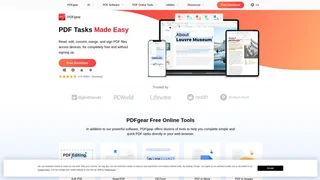
PDFgear is a free PDF editing and management application available on Windows, macOS, iOS, and Android. Developed by PDF GEAR TECH PTE. LTD., the software offers a full suite of PDF tools including editing, conversion, annotation, OCR, merging, signing, and compression without watermarks, usage limits, or mandatory account creation. It also integrates an AI assistant called PDF Copilot that can summarize, answer questions about, and help interact with PDF documents.
Key Features
- PDF editing: Edit text, images, shapes, signatures, links, and fillable form fields directly within PDF files, similar to working in a word processor.
- AI assistant (PDF Copilot): Chat with PDF documents to get summaries, extract key information, and ask questions about the content using integrated generative AI.
- Format conversion: Convert between PDF and formats including Word, Excel, PPT, TXT, JPG, PNG, and PSD with batch processing support and lossless output.
- OCR text recognition: Extract text from scanned documents and image-based PDFs with support for more than 30 languages, converting them into editable Word or TXT files.
- Annotation and markup: Highlight text and areas, underline and strikethrough content, add notes, comments, stamps, shapes, and text boxes.
- Page management: Merge, split, rotate, crop, extract, add, and delete PDF pages with precise control.
- PDF forms: Fill out, create fillable forms, and flatten PDF forms for distribution.
- Digital signatures: Sign PDF documents using mouse-drawn inking or typed signatures, with an additional eSign platform called eSignGear for legally binding signatures.
- Security features: Encrypt PDFs with passwords, unlock protected documents, and redact sensitive content.
Platforms and Availability
- PDFgear is completely free to download and use with no premium tiers, subscription fees, or feature paywalls.
- Available on Windows, macOS, iOS, and Android with consistent core functionality across platforms.
- Offers a suite of online tools through a web browser for quick PDF tasks without installing software.
- Local processing for desktop versions means files are handled on the device, supporting offline use and data privacy.
Use Cases
- Business professionals who need to edit contracts, fill out forms, and sign documents without expensive software subscriptions.
- Students and educators working with course materials, research papers, and scanned textbook pages requiring annotation and OCR.
- General users who occasionally need to convert, merge, or compress PDF files without navigating complex interfaces or paying per-use fees.
- Teams and organizations looking for a cost-free alternative to Adobe Acrobat for everyday PDF management tasks.
Privacy and Security
- Desktop applications process files locally on the user device, reducing exposure to cloud-based data handling.
- Online tools process files on PDFgear servers but the company states that uploaded files are handled with security measures and privacy protections.
- PDFgear publishes a privacy policy, cookie policy, and product security statement detailing their data handling practices.