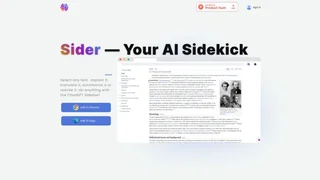
Sider is an all-in-one AI sidekick available as a browser extension and desktop or mobile apps, helping professionals chat, summarize, translate, and research without leaving the page they are reading. It targets knowledge workers, students, and multilingual teams who want multi-model AI access in a single sidebar.
Browser Sidebar Experience
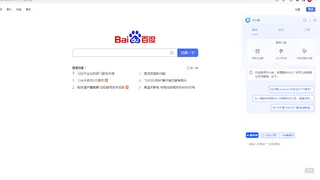
The Chrome and Edge extensions add a side panel where you can switch between leading AI models, ask one question to multiple models for comparison, and keep conversation context while browsing. Highlight any text on a webpage to get explanations, rewrites, or translations inline. Summarize full articles or YouTube videos into outlines and key takeaways you can copy or save.
Page translation supports more than 50 languages with a bilingual view that preserves formatting and meaning. OCR tools extract text from images for quick editing or translation, which helps with screenshots, scanned documents, and social posts.
Wisebase Knowledge Hub
Sider connects browsing workflows to Wisebase, a personal AI knowledge base for chats, clips, sources, and reports. You can query across saved PDFs, webpages, and notes with answers grounded in stored sources. Highlights sync back to Wisebase with source links, and meeting recordings can flow into summarized action items.
Additional Wisebase tools include deep research agents, scholar research, math solving, ChatPDF, audio-to-text, interactive reading, and document-to-slides conversion for presentation drafts.
Standalone AI Tools
- AI image generator, background remover, upscaler, and infographic builders
- AI slides and essay writer agents for structured content drafts
- Text, image, and PDF translators for multilingual document work
- Web Creator agent for generating simple web layouts from prompts
Use Cases
- Researchers collecting citations and summaries while reading publisher sites
- Students explaining difficult passages and drafting essays in multiple languages
- Product managers summarizing competitor pages and support docs during discovery
- Remote teams translating internal documentation with side-by-side review
Platforms and Access
Sider runs on Chrome, Edge, macOS, Windows, iOS, and Android with one account across devices. A free tier offers limited daily usage, while premium plans unlock higher credit limits and advanced models. The product reports more than 10 million active users and strong Chrome Web Store ratings, including Editor's pick recognition. Education pricing is available for eligible students and faculty.
Typical Daily Workflow
A knowledge worker might open Sider while reviewing industry news, summarizing each article and clipping quotes into Wisebase before writing an internal brief. Students can highlight textbook paragraphs for plain-language explanations, then ask the math solver or scholar research agent for related papers. Multilingual teams keep the bilingual translator open on documentation sites to compare phrasing without switching to a separate translation tab.
When a project matures, saved chats and PDFs become searchable context for deep research queries, reducing repeated manual copy-paste into general-purpose chat windows.
Considerations
Because Sider spans many tools, teams should choose whether they need the lightweight sidebar for quick page help or the fuller Wisebase stack for long-term knowledge management. Model quality and credit consumption vary by task, so heavy image or research workflows may require a paid plan even when basic chat remains free. Privacy-sensitive organizations should review data handling policies before uploading confidential documents to cloud-side features.
For everyday browsing, the sidebar keeps page context on the current tab, which is faster than copying text into a separate chat window. Comparing answers from multiple models in one panel also helps analysts sanity-check factual claims before citing them in reports. Meeting recording summaries and document-to-slides tools extend Sider beyond casual browsing into light production workflows for consultants, educators, and independent researchers worldwide.