
Categories
Overview
TimelinesAI is a WhatsApp operations platform built for sales, support, and customer success teams that already rely on CRMs and shared messaging channels. It connects existing personal or business WhatsApp accounts to a unified workspace, syncs conversations into tools like HubSpot, Pipedrive, Salesforce, Zoho, monday.com, and Close CRM, and adds automation through a visual workflow builder, Zapier, Make.com, and ChatGPT-powered replies. Teams that manage multiple WhatsApp numbers and need CRM visibility without switching apps are the primary audience.
How It Works
Setup starts with email registration and QR-code linking of WhatsApp accounts, which TimelinesAI reports can be completed in under two minutes without Meta Business API approval for standard numbers. Once connected, messages flow into TimelinesAI and sync to linked CRM records in real time. New chats can auto-create contacts, persons, or deals depending on the CRM integration. Team members collaborate inside a shared inbox with assignment, labels, internal notes, and filter views so conversations stay organized as volume grows.
CRM and Workflow Integrations
- Native CRM connectors: Pipedrive, HubSpot, Zoho, Salesforce, monday.com, and Close CRM receive conversation history, contact matching, and pipeline context directly from WhatsApp threads.
- Automation stack: Zapier and Make.com native integrations, plus a drag-and-drop Workflow Builder, let teams trigger personalized WhatsApp messages from CRM stage changes, form submissions, or external app events across 1000+ connected services.
- Developer access: Public API and webhooks support custom automations, such as sending messages from internal systems or notifying external tools when chats are created or updated.
- Browser extension: A Chrome extension extends WhatsApp messaging into CRM workflows for teams that split time between web apps and chat.
Shared Inbox and Team Collaboration
TimelinesAI centralizes multiple WhatsApp numbers in one workspace. Workspace owners can connect any number of accounts, with each connected user requiring a paid seat. Collaboration features include assigning responsible team members, labeling chats, shared chat history, message reminders, permission roles, analytics reports, and the option to hide phone numbers for privacy-sensitive workflows. Internal comments let agents coordinate without leaving the customer thread.
Mass Messaging and AI Automation
Beyond one-to-one chat, TimelinesAI supports broadcast campaigns, bulk reply campaigns, quick reply templates, and recurring messaging quotas that scale by plan tier. ChatGPT-based features include conversation summaries and AI-powered auto-replies, helping teams respond faster during high-volume periods. Mass messaging credits, active chat limits, and media attachment sizes increase on higher-tier plans for teams running outbound campaigns.
Use Cases
- Sales follow-up: Sync deal-stage changes from a CRM into timed WhatsApp follow-ups and keep full conversation history on the contact record.
- Customer support: Route inbound WhatsApp messages through a shared inbox with assignments, labels, and internal notes for multi-agent handling.
- Multi-brand operations: Connect several WhatsApp numbers across regions or product lines while managing them from one workspace.
- Outbound campaigns: Run mass messaging or bulk reply workflows for announcements, re-engagement, or segmented promotions within plan quotas.
Plans and Pricing
TimelinesAI prices per seat per month, with one seat required for each user connecting a WhatsApp account. Public monthly plans include CRM Integration at $25 per seat, Shared Inbox at $40 per seat, and Mass Messaging at $60 per seat. Annual billing saves up to 20% compared with monthly pricing. All plans include a 10-day free trial with no credit card required. Higher tiers add full shared inbox access for all members, longer chat history retention, larger mass messaging credit pools, higher active chat limits per seat, and increased media attachment sizes. The CRM Integration tier limits shared inbox access to the workspace owner and retains 30 days of chat history, while Shared Inbox and Mass Messaging tiers unlock unlimited history for the team.
Limitations and Considerations
Because pricing is seat-based, costs scale directly with team size and the number of connected WhatsApp users. Some advanced inbox features are restricted to higher plans, and certain capabilities such as starting new chats without saving contacts depend on plan level or CRM-specific paths. Teams evaluating WhatsApp Business API-only workflows should confirm whether TimelinesAI's QR-linked account model fits their compliance and Meta requirements before rollout.
Tool Overview
Pricing
Similar AI Tools
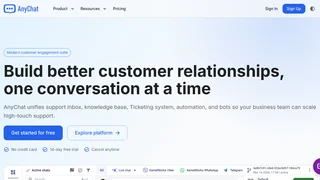
AnyChat
A unified customer messaging platform combining shared inbox, live chat widget, AI chatbot builder, knowledge base, and ticketing system for multi-channel support.
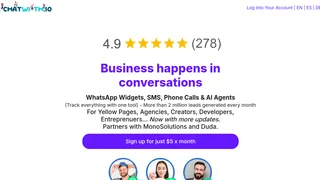
WhatsApp Widget
A WhatsApp lead capture and communication widget with AI agents, forms, bookings, and CRM tools for websites and landing pages.

Hiver AI
Assistive and agentic AI for modern customer service. Hiver AI brings AI agents, copilot, QA, and insights to shared inboxes — handling complex tickets across email, chat, and other channels right from Gmail or a dedicated omnichannel platform.
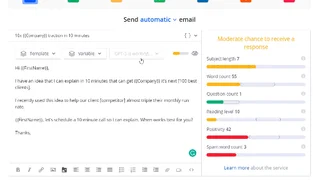
Reply.io
Reply.io is an AI-powered sales outreach platform that helps businesses automate multichannel prospecting sequences, generate leads, and book meetings through email, LinkedIn, SMS, and calls.
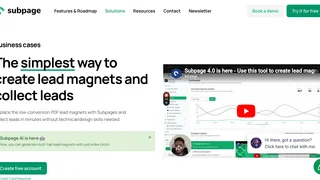
Subpage.co
AI-powered lead magnet builder that helps marketers create interactive multi-tab landing pages to capture and manage leads without any technical skills.