Categories
Overview
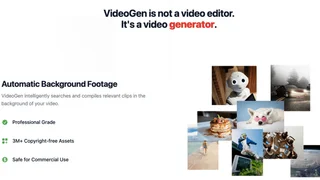
VideoGen is an AI video creation platform that helps creators, educators, marketers, and teams generate and edit videos in minutes from the browser. The product combines repeatable AI workflows with a full video editor so users can move from idea to finished export without switching between separate generation and editing tools.
Trusted by more than five million professionals according to the company, VideoGen handles scripting, media sourcing, voiceover, captions, and editing inside structured workflows. Users can produce short-form social clips or longer-form content, collaborate through team workspaces, and share projects with view links without installing desktop software.
VideoGen cites customers from education, retail, and large technology organizations, which signals the product is used beyond solo creators. The unified Pro plan is notable because it avoids forcing users through multiple tier upgrades just to unlock voice, avatars, or workflow access.
Key Features
- Generate videos from text, blogs, articles, and repeatable AI workflows.
- Produce AI voiceovers with 200+ voices across 50+ languages and accents.
- Add auto-generated subtitles, captions, and one-click translation for localization.
- Select from millions of copyright-free stock assets and AI-generated b-roll.
- Edit videos in a browser-based editor with AI tools built into the timeline.
- Collaborate through team workspaces, project sharing, and centralized billing.
- Export content safe for commercial use with full rights on generated output.
- Use deep research and audio transcription inside the same production environment.
- Apply AI avatars, background removal, and image upscaling without leaving the editor.
Use Cases
- Marketers can turn blog posts and product pages into video ads quickly.
- Educators and L&D teams can produce training videos without a production studio.
- Creators can batch TikTok, YouTube Shorts, and Instagram Reels from one workflow.
- Distributed teams can review and edit shared projects from any device with a browser.
- Product marketers can localize campaigns with translated voiceovers and captions.
- Customer education teams can convert documentation into onboarding video modules.
- Sales teams can turn case studies and one-pagers into short explainers for outbound campaigns.
- Nonprofits can localize awareness videos with translated captions and voiceovers on a budget.
Intended Users
VideoGen serves marketing teams, course creators, agencies, and social video operators who need repeatable output more than one-off cinematic edits. Traditional post-production houses may still prefer timeline-first NLEs, but teams optimizing for speed and volume are the natural fit.
Pricing
VideoGen offers a free tier to create a first video, with a single Pro plan that bundles every AI feature and monthly credits. Enterprise plans add custom credit limits, priority support, and dedicated account management.
| Plan | Price | Key Features |
|---|---|---|
| Free | $0 | Start creating videos with core generation features |
| Pro | $12/user/month (yearly) | 2,000 monthly credits, 50 GB storage, all AI features, API access |
| Enterprise | Custom | Custom credits, top priority, dedicated account manager |
Why It Matters
VideoGen targets teams that want studio-like output without studio-like overhead. By keeping generation, voice, stock media, and editing in one browser product, it reduces the number of subscriptions and handoffs needed to ship video content. The credit-based Pro plan keeps pricing predictable for flexible creation, which matters for marketers and creators who need volume without forced tier upgrades.
Workflow Notes
A common VideoGen workflow begins with a script, article, or campaign brief, then moves through workflow presets that source visuals, narration, and captions automatically. Editors can refine timing, swap stock clips, and regenerate voiceover lines inside the same browser session, which avoids exporting rough cuts into a separate NLE for basic fixes. Teams sharing projects through workspaces can review exports via share links before publishing, making the tool viable for marketing, education, and creator groups that do not want desktop editing licenses for every contributor.
Tool Overview
Pricing
Similar AI Tools
Pictory
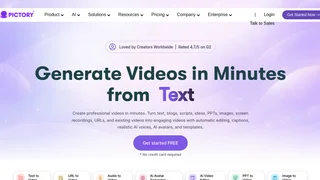
Pictory is an AI video generator that turns text, URLs, scripts, and presentations into captioned videos with stock visuals, voiceovers, and avatars for marketers and educators.
HeyGen
HeyGen is an AI video generator that creates professional videos with lifelike AI avatars, voice cloning, and multilingual translation for marketing, sales, training, and localization teams.

Nim.Video
Nim.Video is an all-in-one AI video production app that lets over 5 million creators generate videos from text prompts, images, and templates using top AI models including Seedance, with built-in tools for lip sync, upscaling, and sound in a unified workspace.
WOXO Idea To Videos
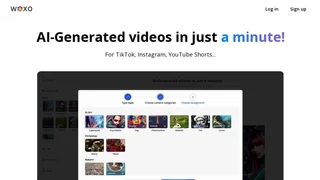
Woxo is an AI video generator that turns a one-line prompt into a publish-ready YouTube Short, handling script, voiceover, visuals, and captions automatically so faceless creators and content teams can publish Shorts and TikToks without filming, recording audio, or learning editing software.

MagicLight AI
MagicLight AI is an AI-powered video generator specializing in long-form content up to 50 minutes, with story templates, AI characters, scene transitions, text-to-video, and voice cloning for creators building narrative, educational, and entertainment videos.