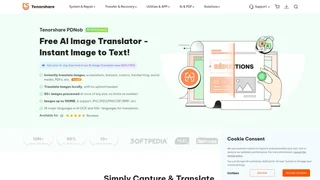
PDNob Image Translator is a desktop application by Tenorshare that uses AI-powered optical character recognition (OCR) technology to extract and translate text from images, screenshots, scanned documents, PDFs, and handwritten content. Designed for Windows and macOS users, it enables batch processing of multiple images simultaneously with support for over 100 languages and provides a complete workflow from text extraction to translation and export.
Key Features
- AI-Powered OCR: Uses advanced OCR technology with 99% accuracy for extracting text from images, scans, and screenshots. The application handles complex layouts, low-quality scans, blurred images, and handwritten content through intelligent preprocessing that includes image scaling, cropping, rotation, noise removal, perspective correction, deskewing, and ISO noise correction.
- Multi-Language Translation: Translates extracted text into over 100 languages using Google and ChatGPT-4 integration for contextually accurate results. AI OCR supports 16 major languages including English, Japanese, French, German, Spanish, Portuguese, Russian, Korean, Arabic, Chinese Simplified, Chinese Traditional, Dutch, Indonesian, Italian, Thai, and Turkish.
- Local and Offline Processing: All translation processing occurs locally on the device with no image uploads required, ensuring data privacy and security for sensitive documents. The application also offers offline OCR capabilities for text recognition without internet connectivity.
- Batch Processing: Handles 50 or more images simultaneously with no character limits for OCR or translation output. Supports image uploads up to 100MB in formats including JPG, JPEG, PNG, GIF, BMP, PBM, PGM, PPM, XBM, and XPM.
- In-Image Text Editing: Enables direct editing of translated text on images with options to adjust font, size, color, and formatting while preserving the original design and layout of the source image.
- AI Assistant: Includes GPT-4 powered capabilities for text summarization, rewriting, and spelling and grammar checking beyond basic translation functionality.
- Customizable Hotkeys: Provides keyboard shortcuts for quick screenshot capture and instant translation, enabling efficient workflow for frequent translation tasks.
Use Cases
- Students and Researchers: Extract and translate text from foreign-language academic papers, textbooks, and research materials for study and reference across multiple languages.
- Travelers: Translate signs, menus, documents, and street signs in real time by capturing screenshots or photos of text encountered in foreign countries.
- Professionals: Handle multilingual business documents, translate marketing materials, and process international communications in marketing, legal, and customer support roles.
- Language Learners: Read and understand content in foreign languages with instant translation and side-by-side comparison of original and translated text.
- Comic and Manga Enthusiasts: Translate Japanese manga and comics with specialized recognition of handwritten text styles commonly found in illustrated content.
Platform and Pricing
PDNob Image Translator is available for Windows 10 and 11 and macOS 10.15 and later. A free download provides basic translation features with limited AI credits, while subscription plans unlock additional credits and premium capabilities: weekly at $12.95, monthly at $15.95, and yearly at $69.90. All subscriptions include access on up to three devices simultaneously, a 30-day money-back guarantee, and 24/7 technical support.
Export Options
- Copy recognized or translated text to the clipboard for use in other applications after OCR processing.
- Export images with recognized text embedded, preserving the original visual context and structural layout.
- Export images with translated text seamlessly integrated into the original design, maintaining design integrity for sharing and publication.
- Export text in multiple output formats including TXT, DOC, and DOCX for further editing and processing.