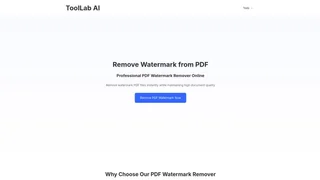
Tool Lab AI (ToolLab.AI) is an online AI-powered document processing platform that provides tools for extracting text from images and PDFs, removing watermarks from PDF documents, and converting visual content into editable text. It is designed for students, professionals, and anyone who regularly works with scanned documents, screenshots, or watermarked PDFs and needs quick, browser-based solutions without installing additional software.
How It Works
Tool Lab AI operates entirely through a web browser with a simple three-step workflow. Users upload a file by dragging and dropping it onto the platform or selecting it from their device. The AI processes the file using optical character recognition and image analysis technology to identify text elements, watermark overlays, or other content. Once processing is complete, users can copy the extracted text, download the cleaned file, or continue working with the result. Files are automatically deleted from the servers after processing, which protects user privacy and eliminates the need for manual cleanup.
Key Features
- Text Extraction from Images: Upload JPG, PNG, GIF, and BMP images to extract text using AI-powered OCR technology. This works well for capturing text from screenshots, presentation slides, social media posts, photographs of signs and documents, and other visual sources. The tool maintains reasonable accuracy for clear, well-formatted images.
- PDF Text Extraction: Extract editable text from both digitally created PDFs and scanned PDF documents. This feature supports converting reports, articles, contracts, and archived materials into reusable plain text. The extraction preserves the core textual content while removing layout elements.
- PDF Watermark Removal: Detect and remove watermarks from PDF files while preserving the underlying document quality. The AI identifies watermark elements across the document and processes the file to produce a clean result suitable for sharing or further editing.
- File Support: The platform accepts common image formats including JPG, PNG, GIF, and BMP, along with PDF documents. Image files have a 10 MB upload limit while PDF files can be up to 30 MB for watermark removal.
- Secure Processing: Files are automatically deleted from the server after processing is complete. This ensures that uploaded documents and images are not stored longer than necessary and protects sensitive or confidential information.
- Instant Results: Most processing tasks complete within seconds. The platform does not require software downloads or account registration to use the core tools, making it accessible from any device with a modern web browser.
Use Cases
- Digitizing Physical Documents: Convert scanned paper documents, printed contracts, and archived materials into editable digital text for long-term storage, document management, or further editing in word processors.
- Content Repurposing: Extract text from screenshots, presentation slides, and social media images to reuse the content in new documents, notes, reports, or blog posts without manually retyping.
- Document Cleanup: Remove unwanted watermarks from PDF files before sharing or republishing documents, preserving the quality of the underlying content. This is useful for cleaning up evaluation copies, draft documents, or archived materials.
- Academic and Research Work: Extract text from PDF research papers, academic articles, and book scans for annotation, citation management, or integration into digital notes and reference systems.
- Office Productivity: Quickly grab text from scanned invoices, receipts, business cards, or memos without typing them manually, saving time on data entry tasks.
Limitations
Tool Lab AI is optimized for text extraction from clear, well-formatted documents and images. Accuracy may vary with low-quality scans, highly stylized fonts, complex layouts, or images with significant visual noise. The watermark removal feature works best on standard watermark overlays and may have limited effectiveness on heavily embedded or intricately patterned watermarks. All file processing is handled online, which requires a stable internet connection.