Categories
Overview
ChatGPT Code Interpreter is OpenAI sandboxed Python execution environment integrated directly into ChatGPT, enabling users to run code, analyze data, create visualizations, and process files through natural language conversations. It is designed for data analysts, researchers, students, and professionals who need to perform computational tasks without leaving the chat interface or managing their own Python environment.
How It Works
When a user uploads a file or asks a computational question, ChatGPT automatically determines whether to invoke the Code Interpreter. It writes Python code, executes it in a secure sandboxed environment, captures the output, and presents the results back in the conversation. This create-execute-iterate loop happens transparently, allowing users to refine their analysis through natural language without needing to write code themselves. Users can also inspect, modify, and re-run the generated Python code for greater control over the analysis.
Key Features
- Python Code Execution: Runs Python 3 code in a secure sandbox with common data science libraries including pandas, numpy, matplotlib, seaborn, scikit-learn, scipy, and Pillow.
- Data Analysis: Upload CSV, Excel, JSON, and other data files for automated analysis. The interpreter can clean, transform, merge, and summarize datasets through conversational commands.
- Data Visualization: Generates charts, graphs, and plots using matplotlib and seaborn. Outputs are displayed inline in the chat and can be downloaded as image files.
- File Processing: Reads and processes uploaded files including images, text documents, PDFs, and spreadsheets. Supports format conversion between many file types.
- Statistical Analysis: Performs descriptive statistics, hypothesis testing, regression analysis, correlation studies, and other statistical computations.
- File Export: Generates downloadable files including cleaned datasets, charts, converted documents, and generated Python scripts.
- Natural Language Interface: Users describe what they want in plain English and ChatGPT handles the code writing and execution.
Use Cases
- Data Cleaning and Preparation: Upload raw datasets and ask ChatGPT to handle missing values, remove duplicates, normalize formats, and restructure data for analysis.
- Exploratory Data Analysis: Quickly understand dataset characteristics through automated summary statistics, correlation analysis, and distribution visualizations.
- Report and Dashboard Creation: Generate charts, tables, and formatted summaries for business reports, academic papers, or presentations.
- File Format Conversion: Convert between CSV, Excel, JSON, XML, PDF, and image formats without installing any conversion software.
- Mathematical Computation: Solve equations, perform calculus, linear algebra, and numerical simulations using Python scientific computing stack.
- Machine Learning Prototyping: Build and evaluate simple ML models using scikit-learn for classification, regression, and clustering tasks on uploaded datasets.
- Teaching and Learning: Use the interactive environment to learn Python programming, data science concepts, and statistical methods with real-time feedback.
Limitations
- No Internet Access: The sandbox is isolated from the internet, preventing API calls or external data downloads. Files must be uploaded directly to the chat.
- Session Limits: The Python environment resets between chat sessions. Long running computations may encounter timeout restrictions.
- File Size Constraints: Uploaded files have size limits. Very large datasets may require sampling or preprocessing before analysis.
- Preinstalled Packages Only: Users cannot install arbitrary Python packages. Only the preloaded library set is available in the sandbox.
Pricing and Availability
ChatGPT Code Interpreter is available to ChatGPT Plus, Team, and Enterprise subscribers. It is not available on the free tier. Usage is included in the subscription with no additional per execution costs, making it a practical tool for regular data analysis tasks.
Tool Overview
Pricing
Similar AI Tools

Cleanlist
Cleanlist is an AI-powered B2B data enrichment and GTM playbook engine that helps sales teams find, enrich, and verify contact data with 98% accuracy across 15+ data providers.

Stability AI Developer Platform
Stability AI is a developer platform for building image, video, audio, and 3D applications with APIs, sandbox tools, and credit-based pricing.
ParseHub Web Scraper
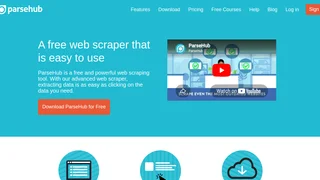
ParseHub is a powerful visual web scraping tool that extracts data from any website without writing code. It handles JavaScript, AJAX, pagination, and login forms, making it suitable for data analysts, marketers, researchers, and developers who need structured web data for lead generation, price monitoring, market intelligence, and data science workflows.

Rafter
Scan GitHub repositories for security vulnerabilities, secrets, and code issues with AI-powered SAST and actionable fix suggestions. Rafter connects to your GitHub with one click, delivers severity-tagged findings with plain-English remediation steps, and integrates with Claude Code, Cursor, and other AI coding agents.
TeamPal
No-code AI workforce platform for building, customizing, and deploying AI agents across marketing, sales, HR, operations, finance, R&D, design, and IT departments.