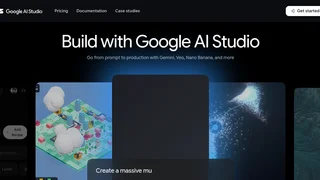
Google AI Studio is a free, browser based workspace from Google for building and prototyping with the Gemini family of generative AI models. It gives developers a fast path from an idea to a working prompt, and then to production code, without any local setup. Users sign in with a Google account, open the studio in a web browser, and start experimenting with text, image, audio, and video inputs against the latest Gemini models from Google.
What it does
The core of AI Studio is an interactive prompt editor. You can write a prompt, attach files or media, adjust model parameters such as temperature and output length, and run it against a selected Gemini model to see the response in real time. Side by side iteration makes it easy to compare wording, tune system instructions, and refine behavior before committing to an implementation.
Key capabilities
AI Studio supports several prompt styles and developer features. You can craft freeform prompts, structured chat conversations, and multimodal requests that mix written instructions with images or other media. The platform exposes options for structured output, function calling, and system instructions, so responses can be shaped to fit the data format of an application. A prompt gallery offers ready made examples that show common patterns and use cases, which helps newcomers learn quickly.
From prototype to API
One of the main reasons developers use AI Studio is the smooth transition to the Gemini API. Once a prompt works the way you want, the studio can generate an API key and produce starter code in popular languages, so the same prompt can run inside your own application. This connection between interactive testing and the underlying API makes the tool a practical starting point rather than just a demo environment.
Models and context
AI Studio provides access to current Gemini models, which are designed for multimodal understanding and long context. The models can process large amounts of input at once, which suits tasks such as summarizing long documents, analyzing media, and reasoning over extended conversations. Because Google updates the available models over time, the studio is a convenient place to try new releases as they appear.
Who it is for
The tool is aimed at developers, technical builders, and teams who want to evaluate Gemini for a product or workflow. It is also approachable for analysts, students, and hobbyists who want to explore generative AI without writing code first. The web based interface lowers the barrier to entry, while the export to code and API key features give professional developers what they need to ship.
Pricing
Google AI Studio is free to use for prototyping and testing. The Gemini API that powers production usage offers a free tier for getting started, with paid usage available as applications scale. For larger or enterprise deployments, Google connects the same models to its cloud platform, giving teams a route to managed infrastructure and additional controls.