Danh mục
Tổng quan
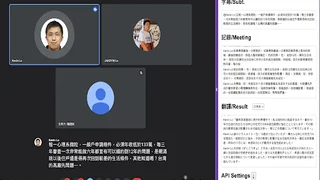
Google Meet Subtitle Recorder is a free Chrome extension that automatically captures closed captions during Google Meet meetings and saves them for later reference. Developed by kevin5251984, it is designed for professionals, students, educators, and remote teams who need to preserve meeting discussions as text without manually taking notes.
How It Works
- Install the extension from the Chrome Web Store and open Google Meet.
- Enable the closed captions (CC) feature and select the meeting primary language such as Chinese, English, or Japanese.
- The extension automatically records subtitle text as it appears during the meeting.
- Captured subtitles can be exported as a text file for review, note-taking, or AI summarization.
Key Features
- Automatic subtitle recording: Captures Google Meet captions in real-time without manual intervention once CC is enabled.
- AI-powered translation: Integrates with OpenAI and compatible API platforms to translate captured subtitles into different languages during or after the meeting.
- Local AI support: For meetings with confidentiality requirements, users can configure Ollama or LM Studio as local AI providers, keeping all processing on-device.
- Multi-language support: Works with any language supported by Google Meet closed captions, including Chinese, English, and Japanese.
- Lightweight and free: The extension is 20.51 KB, requires only storage and sidePanel permissions, and is available at no cost.
Use Cases
- Business meetings: Capture detailed meeting minutes without interrupting the discussion to take notes.
- Educational seminars: Record lecture captions for later review and study.
- Multilingual teams: Use the AI translation feature to bridge language gaps during international meetings.
- Online training: Save training session transcripts for compliance or knowledge sharing.
- Accessibility: Assist participants who benefit from having a written record of spoken content.
Privacy and Security
- The extension does not collect or transmit meeting audio or video. All caption data is processed locally in the browser.
- When using local AI providers like Ollama or LM Studio, translation processing stays entirely on the user device.
- Only two permissions are requested: storage (for saving subtitle data) and sidePanel (for displaying the recording panel).
Limitations
- The extension requires Google Meet built-in closed captions to be enabled before it can record subtitles.
- It does not record audio or video, only text captions displayed on screen.
- Captured subtitle accuracy depends on Google Meet caption quality.
- The extension has a limited user base of approximately 548 users and has received a low rating on the Chrome Web Store.
- The last update was July 2024 and development activity appears limited.
Tổng quan công cụ
Bảng giá
Công cụ AI tương tự
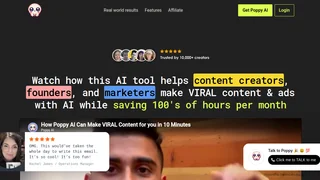
Poppy AI
Multiplayer AI workspace for analyzing videos, podcasts, PDFs, and voice notes to create viral content and brainstorm ideas collaboratively.
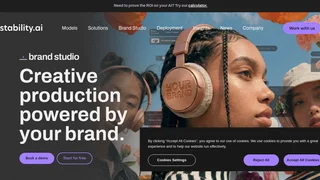
Stability AI Developer Platform
Stability AI is a developer platform for building image, video, audio, and 3D applications with APIs, sandbox tools, and credit-based pricing.
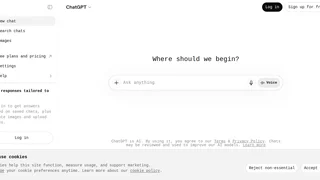
ChatGPT Code Interpreter
OpenAI sandboxed Python environment within ChatGPT that executes code, analyzes data, creates visualizations, and processes files through natural language conversations.
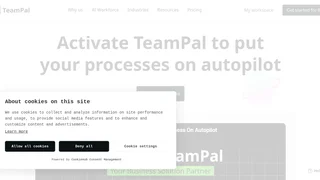
TeamPal
No-code AI workforce platform for building, customizing, and deploying AI agents across marketing, sales, HR, operations, finance, R&D, design, and IT departments.
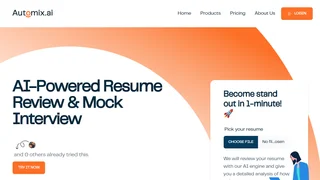
Automix
AI-powered career development platform offering resume review, mock interviews, recruiter tools, and AI chat to automate and enhance the job search workflow.