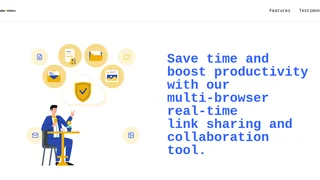
tabsFolders is a cross-browser bookmark and tab management platform that helps individuals and teams save, organize, and share browser tabs from a single cloud-based workspace. Unlike standard browser bookmark managers, tabsFolders adds real-time team collaboration, tab snoozing to reduce memory usage, and the ability to monetize shared links with embedded affiliate codes. It works across Chrome and Edge through browser extensions and includes a mobile bookmarklet for saving links on the go.
Key Features
- One-click tab saving and folder organization: Drag and drop open tabs from multiple browser windows into named folders and subfolders, making it easy to group research, project resources, or reading lists without losing context between sessions.
- Cross-browser real-time synchronization: Bookmarks, folders, tags, and notes sync instantly across Chrome, Edge, and the web app, so team members on different browsers see the same organized collection without manual exports or imports.
- Team collaboration with shared folders and notes: Invite team members, share entire folders or individual bookmarks, and add notes and tags to links. Edits made by one team member appear for everyone, even across different browsers.
- Tab snoozing with configurable timeouts: Automatically snooze inactive tabs to free up system memory. Users can customize snooze timeouts, whitelist specific domains, and filter pinned tabs. tabsFolders reports up to a 95 percent reduction in browser memory usage when snoozing is active.
- Affiliate link embedding and sharing: Save links with two clicks, attach your affiliate codes, and share the monetized links with your audience in three clicks. This turns a bookmark manager into a lightweight affiliate marketing tool for content creators and teams.
- Mobile bookmarklet for on-the-go saving: Add the bookmarklet to any mobile browser to save bookmarks with two taps. Links sync to the cloud and are available for organization and sharing from the desktop app or web interface.
Pricing and Plans
tabsFolders offers three plan tiers. The Free plan includes 1,000 bookmarks and supports one browser per account. The Premium plan, at per month billed yearly, raises the limit to 5,000 bookmarks, supports two browsers per account, and adds a 3-day data backup window. The Business plan provides unlimited bookmarks, supports up to 10 browsers per account, and extends the data backup to 7 days. There is no free trial available for the paid tiers.
Affiliate Link Monetization
A distinguishing feature of tabsFolders is its built-in affiliate link handling. After saving a link, users can attach their own affiliate or referral codes to the URL. When those links are shared with an audience, any resulting commissions go to the user. This workflow combines bookmark organization with direct monetization, appealing to bloggers, niche site operators, newsletter authors, and social media content creators who curate resource lists and want to earn from their recommendations without manually rewriting URLs.
Pros and Cons
Pros:
- Drag-and-drop interface makes organizing hundreds of bookmarks fast and intuitive.
- Real-time team sharing works across different browsers, reducing friction for distributed teams.
- Tab snoozing delivers measurable memory savings on resource-constrained machines.
- Affiliate code embedding turns curated bookmark collections into potential revenue streams.
- A generous free tier with 1,000 bookmarks covers individual users well before requiring payment.
Cons:
- No free trial for paid plans limits evaluation of Premium and Business features before committing.
- Browser support is currently limited to Chrome and Edge; Firefox and Safari users cannot use the extension.
- Data backup windows of 3 and 7 days are short compared to services that offer 30-day or unlimited revision history.
- No offline access or local-only storage option; all bookmarks require cloud connectivity to access and manage.
Who Should Use tabsFolders
tabsFolders is best suited for professionals, researchers, and content teams who regularly work with large numbers of open tabs and need a shared, organized system for bookmarking across browsers. Its affiliate monetization feature makes it particularly useful for bloggers, affiliate marketers, and newsletter authors who curate resource lists and want to earn from shared links. It is less suitable for users who primarily browse with Firefox or Safari, or for privacy-conscious users who prefer local-only bookmark storage without a cloud dependency.