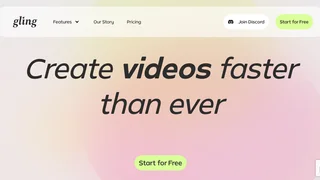
Gling is an AI-powered video editing platform built for YouTube creators, podcasters, and talking-head producers who spend hours cleaning raw footage. It automatically detects silences, filler words, bad takes, and awkward pauses, then exports a tightened edit or XML timeline for professional NLE apps. Gling also generates AI captions, YouTube titles, chapters, B-roll suggestions, and short viral clips from longer uploads.
Key Features
- Silence and filler removal: AI scans speech patterns to cut dead air, ums, and repeated false starts while preserving natural pacing.
- Bad take detection: Identifies retakes and failed lines so editors keep only the best performance segments.
- AI captions and subtitles: Auto-generates captions with export to SRT and styled on-video text.
- YouTube metadata helpers: Produces title ideas, chapter markers, and next-video suggestions from transcript content.
- Multicam and auto framing: Supports multicam edits with zoom in/out framing adjustments for static talking-head shots.
- AI B-roll and audio enhancement: Suggests supplemental footage and improves speech clarity in post.
- Professional export paths: Download MP4 or MP3, or export XML for Adobe Premiere, Final Cut Pro, and DaVinci Resolve.
Editing Workflow
Creators upload raw recordings to app.gling.ai, where Gling transcribes and analyzes the timeline. The platform highlights removable segments for review before export. Users can accept the AI cut, tweak sections manually, and push the result directly to YouTube-ready MP4 or hand off XML to a desktop editor for color grading and advanced effects. Video-from-link generation converts article text into narrated clips on paid tiers.
Pricing and Plans
| Plan | Monthly Price | Included Usage |
|---|
| Free | $0 | 1 hour of AI-edited media per month, unlimited exports with watermark |
| Plus | $20/month ($10/month billed annually) | 10 hours edited media or 300 words video-from-link per month, no watermark |
| Pro | $40/month ($20/month annually) | 30 hours or 900 words per month, premium support |
| Elite | $100/month ($50/month annually) | 100 hours or 2,700 words per month, premium support |
Annual billing advertises 50% savings versus monthly rates. Usage quotas combine traditional AI editing hours with link-to-video word allowances.
Pros and Cons
Pros:
- Dramatically reduces first-pass cutting time on long talking-head recordings.
- XML export preserves compatibility with professional editing suites.
- Trusted by large YouTube channels citing accurate pause detection.
- Free tier lets new creators test the workflow before subscribing.
Cons:
- Free exports include watermarks and only one hour of processing monthly.
- Heavy creators need Elite-tier quotas for frequent long-form uploads.
- AI cuts may still require manual review for comedic timing or intentional pauses.
- Advanced cinematic editing features remain outside Gling's scope.
Supported Platforms and Formats
Gling accepts common upload formats including MP4, MOV, and MKV from desktop recorders, Zoom exports, Riverside sessions, and phone captures. Caption styling supports brand fonts and colors for consistent channel identity. XML handoffs preserve cut decisions so colorists and sound designers can continue in Premiere, Final Cut Pro, or DaVinci Resolve without rebuilding the base timeline. Teams publishing weekly long-form commentary or interview shows often batch multiple recordings through Gling before weekend publishing deadlines. The viral clip generator can surface short highlight reels from hour-long sessions for TikTok, Reels, and Shorts cross-promotion without manual re-editing.
Who Should Use Gling
Gling suits YouTube educators, commentators, interviewers, and course creators who record lengthy single-take videos and want faster rough cuts. Podcast-to-video workflows and solo creators without dedicated editors gain the most time savings. Production teams needing frame-accurate collaborative color work, motion graphics, or narrative film editing will still rely on full NLE suites after Gling's automated prep pass.