Categories
Overview
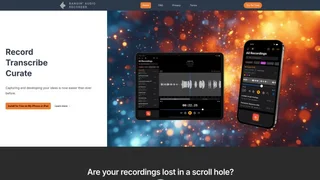
Bangin' Audio Recorder is an iOS and iPadOS app for capturing, transcribing, and organizing audio recordings. Created by composer and developer Alistair Cooper, it combines high-quality mono and stereo recording with AI-powered speech transcription that adds timestamps to every word. The app is designed for musicians, journalists, students, and professionals who need to capture, search, and develop their ideas from audio content.
How It Works
Users download the app from the Apple App Store and start recording with a single tap. Speech recordings are automatically transcribed using natural language processing, with a custom timestamp algorithm that links each word to its position in the audio. Recordings can be organized using tags, star ratings, and projects, and the full-text search capability scans both titles and transcription content to help users find specific moments quickly.
Key Features
- High-quality audio recording in mono or stereo with multiple file format options including WAV, AAC, and ALAC
- AI-powered speech transcription using natural language processing, with word-level timestamps for navigating recordings
- Audio editing tools for trimming, cutting, inserting, and replacing audio segments
- Organizational features including tags, star ratings, projects, and full-text search across transcriptions
- Private iCloud syncing across iPhone and iPad devices
- Location tagging with an interactive map view of recording history
- Lock Screen widgets for quick recording and playback access
- Sharing and export options to Files and other apps
- Resume or overwrite existing recordings from any point
Use Cases
- Musicians recording song ideas, melodies, and practice sessions with high-fidelity audio in WAV or ALAC formats
- Journalists and podcasters conducting interviews with automatic transcription for searching and referencing key quotes
- Students recording lectures and searching transcribed notes later for study and review
- Professionals capturing meeting notes, brainstorming sessions, and voice memos across iPhone and iPad
Pricing
The app is free to download with basic recording features. Premium features including AI transcription with word timestamps, custom audio settings (mono or stereo, WAV/AAC/ALAC export), location tagging, map visualization, and advanced sharing options are available through monthly or annual subscriptions managed via Apple in-app purchases. A free trial is available for new subscribers.
Privacy and Security
Audio recordings remain the property of the user. iCloud sync uses the user private iCloud account for encrypted transfer between devices. Payment information is handled entirely by Apple through the App Store, and the developer does not have access to billing details.
Tool Overview
Pricing
Similar AI Tools
Brilliant Directories
Brilliant Directories is a white-label platform for launching membership sites, online directories, and community websites with built-in payments, SEO, and AI tools.
Poppy AI
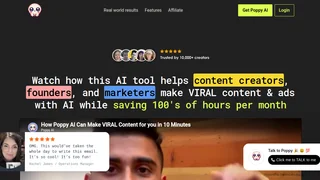
Multiplayer AI workspace for analyzing videos, podcasts, PDFs, and voice notes to create viral content and brainstorm ideas collaboratively.
Stability AI Developer Platform
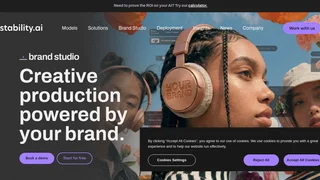
Stability AI is a developer platform for building image, video, audio, and 3D applications with APIs, sandbox tools, and credit-based pricing.
Muku AI
Muku AI is an AI influencer agency platform that transforms product URLs, scripts, and ideas into professional UGC-style video ads.
Clipchamp
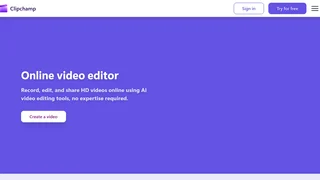
Microsoft AI-powered online video editor for creating, editing, and sharing HD videos with no expertise required.