Categories
Overview
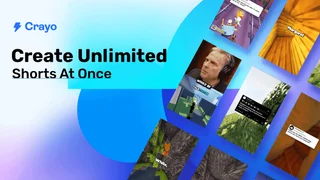
Crayo is an AI-powered video editor aimed at short-form creators who need fast clipping, stylized subtitles, and viral packaging without learning a desktop NLE. Upload a file or paste a YouTube or TikTok link, pick from more than 15 subtitle styles, and generate vertical videos in seconds inside a web-based editor. With over 3.2 million users, Crayo bundles speech enhancement, AI voiceovers, background removal, and content ideation in one clipping-focused workspace.
Three-Step Creation Flow
Creators start by importing footage or a social link, choose a subtitle style tuned for retention, then let Crayo assemble a draft video automatically. The browser editor adds fine control over captions, layouts, and effects when automated output needs manual polish. This hybrid approach suits clippers who want speed for volume channels but still need a timeline for last-mile tweaks.
Toolset for Clippers
- 15+ viral subtitle presets designed for Shorts and Reels aesthetics
- AI voiceovers and speech enhancement for noisy source footage
- Video and image background removal for reaction and story formats
- Social video downloader for repurposing existing platform content
- AI image generation to reduce separate subscriptions for thumbnails
- Vocal remover and brainstorm tools for Reddit-story and meme formats
Use Cases
- TikTok and YouTube clip channels scaling daily output from long podcasts
- Streamers creating blurred-face highlight clips for trending formats
- Agency editors standardizing subtitle styles across client accounts
- Solo creators testing Reddit story and gameplay overlay trends quickly
Credits and Exports
Crayo uses workflow credits and export minutes rather than a single simple tier, reflecting the cost of generative features such as advanced video models. Users can cancel plans anytime, and support is available around the clock through Discord for billing or export questions. Monetization of exported videos is permitted when creators own rights to source material, which matters for clipping businesses working with licensed or original footage.
Positioning
Crayo markets itself as the clipping tool built by operators who already grew large social channels, emphasizing practical formats over generic AI hype. For teams producing dozens of shorts weekly, the combination of automated first drafts plus a capable web editor reduces the bottleneck that usually sits between finding a moment and publishing a polished clip.
Creators comparing all-in-one AI editors should weigh how often they need specialized clipping templates versus long-form timeline editing; Crayo optimizes aggressively for the former.
Channel Operations
Clip channel operators batch ten source videos on Monday, generate subtitle variants for each, and queue exports for the week inside Crayo editor. They standardize two or three subtitle presets per niche so audiences recognize the brand instantly in feeds.
When source footage is noisy, speech enhancement runs before subtitle generation to improve timing accuracy. Teams working Reddit-story formats combine brainstorm prompts with vocal remover tools to layer narration over gameplay backgrounds without re-recording in a studio.
Practical Notes
Teams evaluating this tool should run a two-week pilot on real production work rather than demo content alone. Measure time saved per deliverable, error rates on first drafts, and whether downstream human review shrinks enough to justify subscription cost.
Document preferred settings, templates, and export defaults so contractors and new teammates reproduce results without rediscovering workflows. Revisit vendor pricing annually because clip credits, character limits, and ad seats change frequently in this category.
Keep a rollback path to your previous toolchain until quality and throughput stay stable across multiple projects, especially when client approvals or compliance reviews still require human sign-off on every public deliverable.
Screenshot onboarding checklists and Loom walkthroughs for your own staff so adoption does not depend on one power user remembering every click path, integration toggle, and export setting across busy production weeks.
Tool Overview
Pricing
Similar AI Tools
Latte Social
Latte Social was an AI video editor for repurposing long-form footage into short clips with subtitles and visual enhancements, now sunset as of November 2025.
Kapwing
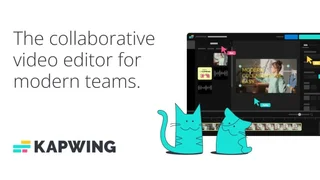
Kapwing is a browser-based AI video editor with subtitles, dubbing, background removal, and team collaboration for social and marketing content.

Submagic
Submagic is an AI short-form video editor that adds captions, auto edits, magic clips, and scheduled publishing for creators, marketers, and agencies.

FlexClip
FlexClip is a browser-based AI video editor that helps marketers, educators, and creators make social clips, promos, and explainers using templates, stock media, and automated subtitles.

MagicLight AI
MagicLight AI is an AI-powered video generator specializing in long-form content up to 50 minutes, with story templates, AI characters, scene transitions, text-to-video, and voice cloning for creators building narrative, educational, and entertainment videos.