Categories
Overview
Otter.ai is an AI-powered meeting assistant that transcribes conversations in real time, generates automated summaries with action items, and builds a searchable knowledge base across recorded meetings. It captures audio from virtual meetings or in-person conversations, identifies individual speakers, and produces timestamped transcripts that participants can search, highlight, and share. The service serves business professionals, sales teams, educators, recruiters, and anyone who needs reliable meeting records.
Key Features
- Live transcription with speaker recognition -- Otter captures spoken conversation in real time, tagging each segment with the speaker's identity so readers can follow who said what throughout the transcript.
- Automated meeting summaries -- After each meeting, Otter generates a summary that extracts key decisions, highlights, and action items, reducing the need for manual note-taking.
- Action item assignment -- Action items identified during meetings are automatically captured and can be assigned to participants directly within the Otter interface.
- Otter AI Chat -- Users can ask questions across their entire meeting history. The AI Chat searches all past transcripts and connected apps to surface relevant information, generate follow-up content, and answer queries about prior discussions.
- Channels for organization -- Conversations can be grouped into channels by team, project, or topic, making it easier to keep related meeting records together and accessible to the right people.
- Desktop application (Mac and Windows) -- The desktop app records audio directly from the computer without requiring a bot to join the meeting, supporting both virtual calls and in-person conversations.
- Multi-language support -- Live transcription is available in multiple languages, accommodating international teams and multilingual meetings.
- MCP Server for AI tool integration -- Otter provides an MCP (Model Context Protocol) server that lets external AI tools such as ChatGPT and Claude securely access meeting knowledge for further analysis or content generation.
How It Works
Otter connects to a user's calendar and automatically joins scheduled meetings on supported platforms, including Zoom, Google Meet, and Microsoft Teams. During the meeting, it transcribes the conversation in real time and displays the text alongside the audio timeline. After the meeting, Otter processes the transcript to generate a summary and extract action items. Users can review, edit, and share the transcript via links or export it to connected tools. The desktop app also records in-person meetings without a bot, storing audio locally before syncing with Otter's cloud for transcription.
Integrations
Otter integrates with a range of calendar, communication, and productivity platforms. It connects to Zoom, Google Meet, and Microsoft Teams for meeting capture and to Google Calendar and Outlook for scheduling. For document and file management, it supports Dropbox, Google Drive, and Google Docs. CRM and collaboration integrations include Salesforce, HubSpot, Slack, Notion, Asana, and Jira. Otter also offers a Chrome extension, iOS and Android mobile apps, and the MCP server for AI assistant integration.
Pricing
Otter offers three pricing tiers. The Basic plan is free and includes AI meeting summaries, unlimited meetings, and basic integrations. The Business plan starts at $19.99 per user per month with 6,000 monthly transcription minutes, a 4-hour per-conversation limit, collaborative editing, file imports, and admin features; a 7-day free trial is available. The Enterprise plan uses custom pricing for organizations needing advanced security, analytics, and administrative controls.
Pros and Cons
Pros
- Free Basic tier with unlimited meetings makes the service accessible for individual users and small teams with no upfront cost.
- Real-time transcription with speaker labeling helps participants stay engaged in the conversation rather than taking manual notes.
- AI Chat across meeting history turns past transcripts into a searchable knowledge base, which is useful for recalling decisions made weeks or months earlier.
- Broad integration support covers the major calendar, conferencing, CRM, and collaboration tools that most teams already use.
- Desktop app supports recording without a meeting bot, which is helpful for in-person conversations and meetings on unsupported platforms.
Cons
- The free tier does not include advanced features such as file imports or admin controls, which limits its usefulness for larger teams.
- Transcription accuracy can degrade with strong accents, background noise, or overlapping speakers, which is common across all automated transcription services.
- The 4-hour per-conversation limit on the Business plan may be restrictive for organizations that run long workshops or all-day sessions.
- Enterprise pricing is not publicly disclosed, making cost comparisons difficult for larger organizations during the evaluation phase.
Who Should Use Otter.ai
Otter.ai is well suited for professionals who attend frequent meetings and need a reliable written record without manual note-taking. Sales teams benefit from CRM-synced call notes and coaching insights. Educators and students use lecture transcripts and summaries for study and accessibility. Recruiters gain structured candidate insights and Greenhouse integration for interview documentation. Media professionals can quickly transcribe interviews for content production. Small teams and individual users can start with the free plan, while larger organizations may find value in the Business tier's collaborative features.
Tool Overview
Pricing
Similar AI Tools
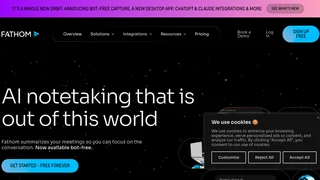
Fathom AI
Fathom AI is a meeting assistant that records, transcribes, and summarizes conversations automatically, helping sales teams, customer success managers, and knowledge workers stay present instead of taking notes.
Trebble FM
AI-powered audio and video editing platform that lets creators edit recordings by editing text, with automatic filler word and silence removal, transcription in 100+ languages, and studio-quality audio enhancement.
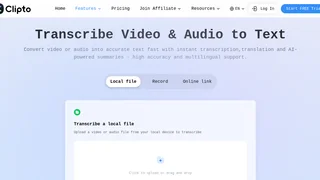
Clipto
AI-powered transcription platform that converts audio and video to accurate text with speaker identification, timestamps, and multilingual translation support.
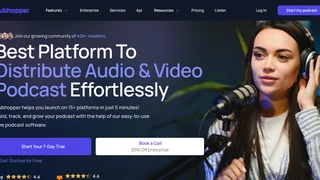
Hubhopper
All-in-one AI-powered podcast hosting platform for creating, distributing, and monetizing audio and video podcasts across 15+ global listening platforms.
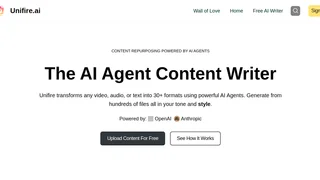
Unifire.ai
AI-powered content repurposing platform that transforms video, audio, and text into 32+ content formats using AI agents, with built-in transcription and collaborative editing for marketers, podcasters, and content creators.