Categories
Overview
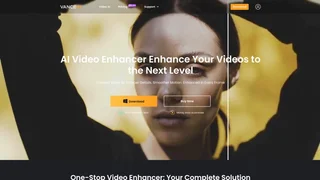
Vance Video AI is a professional video enhancement application that uses artificial intelligence to upscale, enhance, and restore video quality with impressive results. Designed for content creators, video editors, archivists, and anyone working with video content, the tool applies advanced machine learning algorithms to analyze and improve every single frame, delivering higher resolution output, clearer details, and restored visual quality from lower-resolution, compressed, or damaged source material that would otherwise be unusable or low quality.
How It Works
Users import their video files into Vance Video AI, select the desired enhancement mode such as upscaling, denoising, deinterlacing, or restoration and the AI processes each frame individually using sophisticated neural networks. The machine learning models have been trained on millions of diverse video frames to understand how to intelligently reconstruct missing detail, reduce various types of noise and artifacts, and enhance overall clarity and sharpness without introducing unnatural artifacts or over-sharpening. The processed video is then exported in the desired format with significantly improved visual quality compared to the original source footage across all resolution levels.
Key Capabilities
- AI Video Upscaling: Increase video resolution while intelligently maintaining and enhancing detail, transforming standard definition footage to high definition or even 4K quality with realistic and natural-looking results.
- Denoising and Restoration: Remove unwanted noise, grain, compression artifacts, and visual defects from video footage while carefully preserving important detail, restoring older or lower-quality recordings to a much cleaner and more watchable state.
- Frame Interpolation: Smooth out motion and increase effective frame rates by intelligently generating intermediate frames between existing ones through AI analysis of motion patterns and scene transitions.
- Batch Processing: Process multiple video files simultaneously to save significant time when working with large video projects, series, or entire video libraries containing many files.
Use Cases
- Content creators enhancing video quality for YouTube, social media platforms, and professional video production workflows across multiple output formats and resolutions
- Video archivists restoring and upscaling historical footage, family home videos, and legacy media formats to preserve memories and improve viewability on modern high-resolution displays
- Filmmakers and video editors improving the quality of source footage before integrating it into larger production projects and post-production workflows
Intended Users
Vance Video AI serves video content creators, professional editors, filmmakers, archivists, hobbyists, and anyone who needs to improve the quality of video footage through accessible AI-powered enhancement. The platform is designed for users who work with video regularly and need reliable, consistently high-quality results from their enhancement workflow without requiring deep technical expertise in traditional video processing, filtering, or restoration techniques that demand specialized knowledge.
Tool Overview
Pricing
Similar AI Tools

Muku AI
Muku AI is an AI influencer agency platform that transforms product URLs, scripts, and ideas into professional UGC-style video ads.
Clipchamp
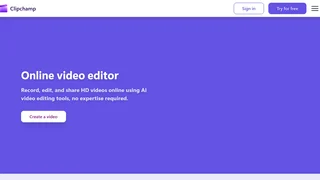
Microsoft AI-powered online video editor for creating, editing, and sharing HD videos with no expertise required.
Designs.ai
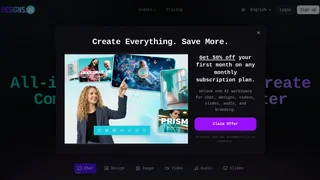
Designs.ai is an all-in-one AI-powered design platform that enables teams to create logos, videos, copy, designs, audio, and slides using multiple leading AI models in one unified workspace.
Rask AI
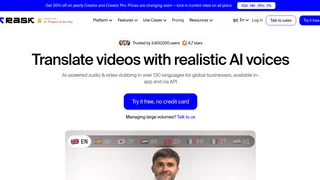
AI-powered video and audio localization platform that translates, dubs, and lip-syncs content across 130+ languages for global businesses, content creators, and enterprises.
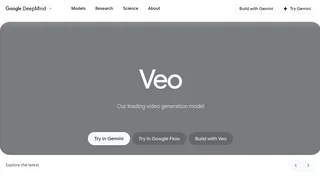
Google Veo 3.1
Google DeepMind's leading AI video generation model that creates cinematic videos from text prompts with native audio, sound effects, and dialogue. Veo 3.1 offers advanced creative controls including style matching, character consistency, scene extension, camera controls, and outpainting. Available through the Gemini app, Google Flow, and the Gemini API for developers.