Categories
Overview
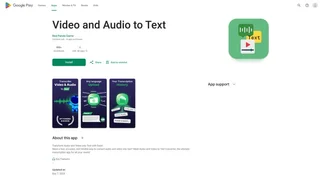
Video and Audio to Text is a free Android application developed by Red Panda Game that transcribes speech from audio recordings and video files into written text. Designed for students, journalists, researchers, and professionals who need quick and reliable transcription, the app processes media files directly on the device without requiring an internet connection for the core conversion step.
How It Works
The app provides a straightforward workflow. Users open the application, select a media file from their device storage or file manager, and initiate the transcription process. The speech recognition engine analyzes the spoken content and generates a text transcript that can be reviewed, copied, or saved. No account creation, subscription, or technical configuration is required to begin transcribing.
Key Features
- Audio and video transcription: Converts speech from both audio recordings and video files into accurate text transcripts using the device speech recognition capabilities. The app handles common media formats stored on the device.
- On-device processing: Transcription runs locally, which helps protect user privacy since media files and transcripts do not need to be uploaded to external servers. This also enables use in areas with limited or no internet connectivity.
- Simple user interface: The app presents a minimal and clean interface focused on the core task of file selection and transcript generation, avoiding unnecessary complexity or confusing settings.
- Free availability: The application is offered at no cost on Google Play, making transcription accessible to anyone with an Android device. There are no subscription fees or paywalls for the primary functionality.
Use Cases
- Lecture transcription: Students can convert recorded lectures into text for easier note-taking, study reference, and revision. This is particularly helpful for courses with dense spoken content.
- Interview transcription: Journalists and researchers can transcribe recorded interviews to speed up the editing, fact-checking, and quoting process, reducing manual transcription time significantly.
- Meeting documentation: Professionals can convert meeting recordings into written minutes or summaries for team documentation, follow-up tasks, and compliance records.
- Content creation: Video creators, podcasters, and social media producers can generate text transcripts of their media for captions, show notes, blog posts, or search engine optimization of their content.
Intended Users
The app serves Android users who regularly work with spoken content and need text versions for accessibility, analysis, or archival purposes. Its straightforward design makes it accessible to users without technical expertise in transcription software, while still providing useful output for more demanding professional use cases.
Limitations
Transcription accuracy depends on audio quality, background noise levels, speaker clarity, and the languages supported by the device speech recognition engine. Users in quiet environments with clear, unhurried speech will achieve the best results. The app is currently Android-only and does not offer desktop, iOS, or web-based versions for users on other platforms.
Tool Overview
Pricing
Similar AI Tools
Brilliant Directories
Brilliant Directories is a white-label platform for launching membership sites, online directories, and community websites with built-in payments, SEO, and AI tools.
Poppy AI
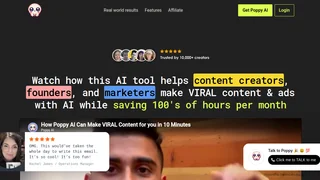
Multiplayer AI workspace for analyzing videos, podcasts, PDFs, and voice notes to create viral content and brainstorm ideas collaboratively.
Stability AI Developer Platform
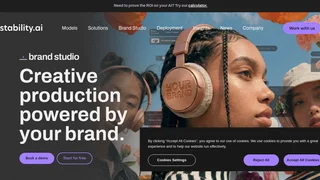
Stability AI is a developer platform for building image, video, audio, and 3D applications with APIs, sandbox tools, and credit-based pricing.
Muku AI
Muku AI is an AI influencer agency platform that transforms product URLs, scripts, and ideas into professional UGC-style video ads.
Clipchamp
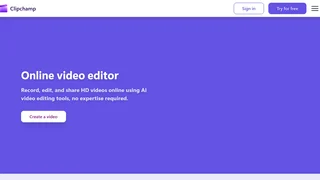
Microsoft AI-powered online video editor for creating, editing, and sharing HD videos with no expertise required.