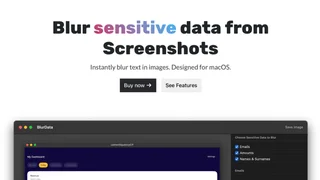
BlurData is a native macOS application that solves a common but high-stakes problem: accidentally sharing sensitive information in screenshots and PDFs. Instead of requiring users to manually locate and cover each piece of private data, BlurData automatically detects and redacts it. The app identifies eight categories of personally identifiable information (PII): email addresses, full names, physical addresses, IP addresses, URLs, monetary amounts, account numbers, and license plates. For any other confidential identifier -- such as internal employee IDs, API keys, JSON Web Tokens, or ticket numbers -- users can define custom regular expression (regex) patterns that the app will also detect and obscure.
The app processes files entirely on-device. No image, PDF, or document data is ever uploaded to a cloud server. This local-only architecture makes BlurData suitable for GDPR-compliant and HIPAA-compliant workflows where sensitive information must never leave the user's machine. It contrasts sharply with tools like Adobe Acrobat, Nitro, and Redactable, which require uploading documents to remote servers for AI-powered redaction.
Key Features
Automatic PII Detection
BlurData scans files as soon as they are dropped into the app, highlighting detected sensitive fields for review. Users can confirm which items to redact and which to skip before applying any changes. This reduces the risk of missing a piece of sensitive information -- a common failure mode when redacting manually.
Drag-and-Drop Workflow
Users drag any screenshot (JPG or PNG) or PDF file into the BlurData window. The app analyzes the content and presents detected sensitive areas in seconds. No complex configuration or menu navigation is needed.
Custom Regex Patterns
Beyond the eight built-in PII detectors, BlurData allows users to add custom regex rules. This makes the tool extensible for domain-specific identifiers such as software license keys, database connection strings, internal project codes, or any other format a user considers confidential.
Batch Processing
Users can drop entire folders of files into BlurData and redact them all in a single pass. This is particularly useful for legal teams, compliance officers, or developers who need to sanitize large sets of documents or screenshots before sharing them.
Export Options
Redacted images can be exported as PNG files, while redacted PDFs have text permanently removed from the file structure -- meaning the underlying text is not simply covered but eliminated from the document metadata. This is a critical distinction for proper redaction.
Multi-Language OCR
The app includes OCR (optical character recognition) support for over 16 languages, allowing it to detect and redact text in non-English documents.
Use Cases
Developers and Technical Teams
Developers frequently share terminal output, code screenshots, and error messages that may contain API keys, tokens, IP addresses, or internal URLs. BlurData helps sanitize these before posting to GitHub issues, Slack channels, or internal wikis.
Legal Professionals
Law firms handling discovery documents, client correspondence, or court filings must redact personally identifiable information before sharing. BlurData provides a fast, local workflow that avoids the cost and security concerns of cloud-based redaction services.
Privacy-Conscious Individuals
Anyone who shares screenshots publicly -- whether on social media, forums, or in tutorials -- can benefit from automatic detection of personal information they might have overlooked.
Compliance and HR Teams
Teams that handle employee records, customer data, or financial documents can use batch redaction to prepare documents for internal or external sharing without manual review of every file.
Pricing and Availability
BlurData is available exclusively for macOS 13 (Ventura) and later, running on both Intel and Apple Silicon (M1 through M4). The app offers a 7-day free trial with all core features included. After the trial, pricing is $39 per year for unlimited access. A lifetime license option is also available at a discounted rate. The app is developed by a solo developer (known as IYIA) and has been available since 2024.
Comparison with Alternatives
CleanShot X and Xnapper offer screenshot annotation but require manual redaction of each sensitive area. macOS Preview provides basic shape-covering tools but no automatic detection. Adobe Acrobat offers AI-powered redaction but requires cloud uploads and a subscription. BlurData is the only tool that combines automatic PII detection, both screenshot and PDF support, batch processing, and 100% offline operation in a single macOS-native application.