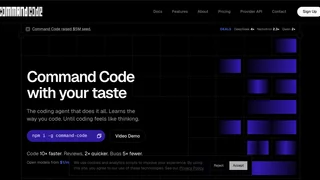
Command Code is an AI coding agent designed to learn your personal coding style and preferences. Unlike generic coding assistants that provide one-size-fits-all suggestions, Command Code continuously adapts to your codebase through acceptance, rejection, and edit signals, building project-specific skills that improve over time. The agent operates as an interactive CLI tool but also supports headless mode for CI/CD pipelines and background sandboxing for isolated task execution.
How It Works
Command Code runs in your terminal and connects to multiple AI models through OpenRouter. It processes requests to read files, write code, run commands, and analyze codebases. The system uses taste-1, a meta neuro-symbolic model that learns from your coding patterns. Every time you accept, reject, or modify code suggestions, Command Code updates your project-level skills to better match your preferences. The agent understands context across your entire codebase, maintaining memory of previous interactions and decisions to provide consistent guidance.
Key Capabilities
- Code Operations: Read, write, and edit files across your codebase. Understand context from existing code and generate changes that fit your style. The agent can navigate complex directory structures and work with multiple files simultaneously.
- Shell Integration: Execute shell commands, run tests, and manage git operations directly within the agent workflow. Perform file operations, search codebases, and run builds without leaving your terminal.
- Extended Thinking: For complex tasks, the agent can reason through multiple steps before generating code, breaking down problems systematically. This is particularly useful for architectural decisions and multi-file refactoring.
- Memory & Agents: Create custom agents for specific workflows and maintain persistent memory across sessions for long-term context. Build specialized agents for different teams, projects, or coding styles.
- Skills & Commands: Build reusable skills for common patterns and create custom slash commands for frequently used workflows. Share skills across teams to establish consistent coding standards.
Use Cases
- Interactive Development: Use Command Code in your terminal for real-time code suggestions, refactoring, and debugging. Ask natural language questions about your codebase and get contextual answers. The agent can explain code, suggest improvements, and help you understand complex systems.
- CI/CD Automation: Run Command Code headless with flags like
-p for parallel execution and --yolo for approvalless mode, making it suitable for automated pipelines. Integrate with GitHub Actions, GitLab CI, and other CI systems.
- Code Review: Leverage the agent's ability to review code and suggest improvements that align with your team's standards and patterns. Automate routine reviews while focusing human reviewers on complex issues.
- Learning & Onboarding: New team members can use Command Code to understand codebase structure, conventions, and best practices through interaction. Ask questions about unfamiliar parts of the codebase and get contextual explanations.
- Multi-Model Development: Switch between different AI models (DeepSeek, Nemotron, Qwen, MiniMax, and more) through the platform's model deals, optimizing for cost or capability. Use cheaper models for simple tasks and powerful models for complex reasoning.
Pricing & Access
Command Code offers a freemium model with $10 in free credits upon signup. The individual plans include Go ($1/month + $10 credits), Pro ($15/month + $30 credits), and Max ($100/month + $150 credits). All plans include access to the taste-1 model and model-specific usage estimates. For API builders, there's a Provider plan at $15/month with pay-as-you-go pricing and zero markup on model requests. Teams plans provide pooled usage and shared billing for larger groups.
Developer Experience
Command Code installs globally via npm and integrates with your existing terminal workflow. The agent supports plugins and MCP servers for extended functionality. Community support is available through Discord, and the platform provides detailed usage analytics for monitoring and optimization. The open-source nature of some components allows for customization and contribution to the ecosystem.